
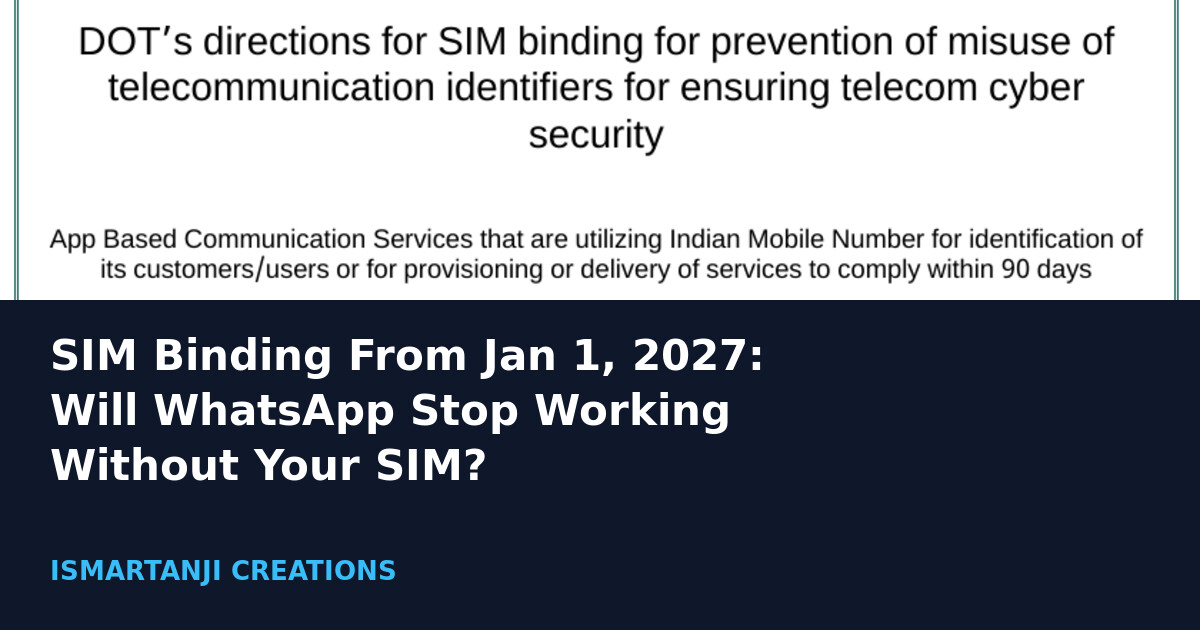
Short answer: from January 1, 2027, WhatsApp and Telegram in India are expected to work only on a phone that holds the active SIM of the number you signed up with. If your SIM is in your phone and recharged, you will most likely see nothing more than a prompt. If you use a second phone without that SIM, a Wi-Fi tablet, or swap your SIM when you travel, plan ahead now.
Many people are asking whether WhatsApp will “stop working” for them, and the headlines make it sound worse than it is. This guide separates what the government has confirmed from what is still only expected, so you know exactly what to do before December 31, 2026. We checked the sources on October 26, 2026.
What Exactly Has the Government Ordered?
The Department of Telecommunications (DoT) sent directions to messaging apps on November 28, 2025. The Press Information Bureau (PIB) made them public on December 1, 2025. The order says an app that uses an Indian mobile number to identify its users must stay linked to the SIM card in the device, so the app cannot be used without that specific, active SIM. The same release names eight apps: WhatsApp, Telegram, Snapchat, Arattai, ShareChat, Josh, JioChat and Signal.
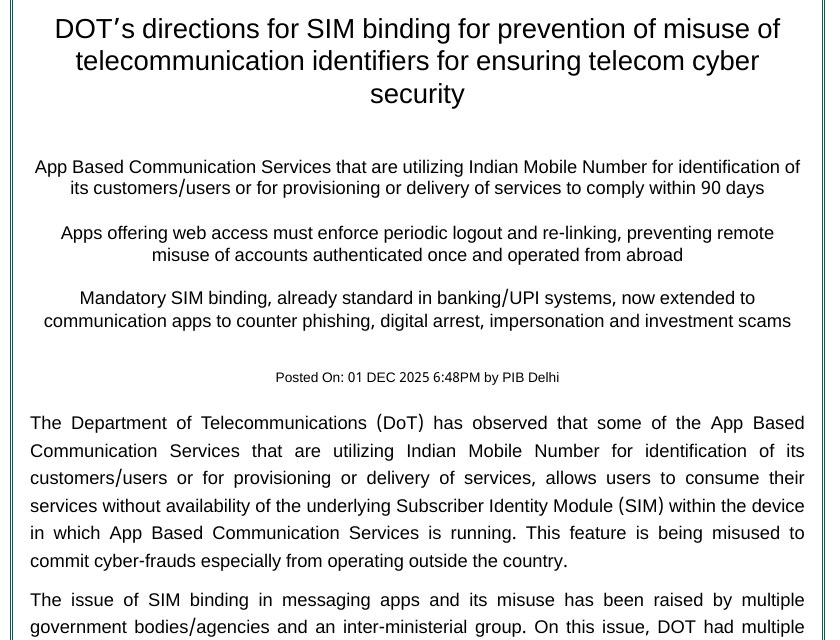
The government’s reason is fraud. The release says accounts keep working after a SIM is removed, switched off or taken abroad, and criminals use this for digital arrest calls and impersonation scams from outside India. It quotes cyber-fraud losses above Rs 22,800 crore in 2024.
The Dates You Should Remember
| Date | What happened |
|---|---|
| Nov 28, 2025 | DoT issues the directions (90 days to comply) |
| Dec 1, 2025 | PIB makes the order public |
| Apr 1, 2026 | Deadline moved to Dec 31, 2026 (as reported by Gadgets 360 and Gadgets Now) |
| Dec 31, 2026 | Last day for apps to comply |
| Jan 1, 2027 | First day the checks should be enforced |
Note that the later dates come from news reports quoting DoT, not from a new PIB page. The PIB release we opened still shows the original 90-day window. So treat January 1, 2027 as the expected date, and check the app’s own notices as the month gets closer.
Will WhatsApp Really Stop Working Without the SIM?
On a phone that does not hold your registered SIM, yes, that is the intention of the rule. The PIB text says it is meant to be impossible to use the app without that specific, active SIM. It also says the direction does not affect cases where the SIM is in the handset and the user is on roaming. That second line matters for anyone who travels.
What nobody has published yet is the exact screen you will see. WhatsApp has reportedly tested a message in India that says the app needs to check that your SIM is present. Reports describe it as a check at sign-in, with occasional checks later. Treat that as how it may look, not as a final design.
Who Will Notice This, and Who Will Not
Think of your own situation. A student in Karimnagar who has one phone with one Jio or Airtel SIM, recharged every month, is the easy case. Your WhatsApp number is that SIM, and the SIM sits in the phone. Nothing to change.
| Your situation | What is likely to happen | What to do now |
|---|---|---|
| One phone, your SIM inside, recharged | Occasional SIM check prompt | Keep the plan active |
| Old phone with no SIM, WhatsApp on Wi-Fi | App may stop on that phone | Use it only as a linked device, or put a SIM in it |
| Wi-Fi tablet for study or shop | Works as a linked device of your main phone | Keep the main phone and its SIM active |
| SIM removed and kept in a drawer | App may stop after Jan 1, 2027 | Put the SIM back in, recharge it |
| Travelling abroad with a local SIM | Risk if Indian SIM is out of the phone | Keep Indian SIM in on roaming or a dual-SIM phone |
| Changed to a new number | Old number must not stay on the account | Use Change number inside the app |
Dual SIM and eSIM: the Part Most Articles Skip
Most phones sold in India today take two SIMs, and many people keep the WhatsApp number in slot 2 with the SIM in saver mode. The rule talks about an active SIM, so the SIM should be switched on in Settings, not just sitting in the tray. We could not find any official note that says a switched-off SIM will pass, so do not rely on it.
For people who go abroad, the safest plan reported by Gadgets Now is to leave the Indian SIM in the phone on a roaming plan and use a second slot or an eSIM for local data. Check roaming charges with your operator first, because a pack costs real money.
Web, Desktop and Tablets
The first order asked for web sessions to log out every 6 hours, and the PIB text says that applies to the web version only, not the phone app. Gadgets 360 and Gadgets Now report that DoT later moved away from a fixed 6-hour rule to a risk-based approach. We could not find an official PIB update about this change, so keep both facts in mind: logouts may happen, and you may need to scan the QR code again.
Step by Step: Get Ready Before December 31
None of these steps is an official requirement from WhatsApp yet. They are the sensible preparation based on what the order says. Menu names can differ a little between phone makers and app versions.
- Find your registered number. Open WhatsApp, tap your profile picture or the three dots, and look at the phone number shown in your profile or account settings.
- Match it to a SIM. Open the phone’s Settings, go to SIM cards or Connections > SIM manager (the name varies on Samsung, Xiaomi, Pixel and others), and check that the SIM with that number is inside and turned on.
- Recharge it. A number with a lapsed plan is not an active connection. Many Indians keep a spare SIM alive with one small recharge every few months, so set a reminder.
- Fix your second phone. If it has no SIM, decide now: use it only as a linked device, or put a SIM in it and register that number there.
- Back up your chats. Use WhatsApp’s own backup in its settings (usually under Settings > Chats > Chat backup). If a phone swap goes wrong, your history stays safe.
- Update the app. Install updates from Google Play, because SIM checks will arrive inside new versions, not as a separate setting.
Pre-check list (do it this week)
1. WhatsApp number = ______________
2. SIM with that number is inside my main phone: YES / NO
3. SIM is switched ON in SIM settings: YES / NO
4. Plan valid until: ____/____/______
5. Last chat backup date: ____/____/______
6. Second phone or tablet: linked device only / has its own SIM
Do not wait for January
If a phone has been without its SIM for a long time, do not first test it on January 1. Put the SIM in this month, recharge it, and take a backup. Fixing a missing SIM after the app stops is slower than fixing it today.
If You Changed Your Number Recently
A common case in college is a student who got a new SIM but never moved WhatsApp to it. Under SIM binding, the account should follow the number that is really in your phone. Use the app’s Change number tool (usually in Settings > Account) while the new SIM is already in the phone. Gadgets Now describes this as keeping chats and groups attached. Do not just put in a new SIM and leave the old number on the account.
What If the Main Plan Does Not Work Out?
- The app asks for a SIM check but fails: restart the phone, make sure the SIM shows signal in the status bar, then update the app and try again.
- You use an eSIM: the rules speak of the SIM in the device, and eSIM details are not spelled out. Watch for official WhatsApp or DoT notes before assuming it will work.
- You need two WhatsApp accounts: each number needs its own active SIM in that phone. WhatsApp Business has the same problem, as the Gadgets Now report points out.
- You live abroad on an Indian number: expect the Indian SIM to be needed in the phone. Consider moving friends and family to your local number.
Common Mistakes
- Believing WhatsApp will be banned in India. The order is about linking the account to a live SIM, not blocking the app.
- Taking out the SIM to save battery or because the plan ended, then expecting WhatsApp to keep running.
- Trusting forwarded messages that say you must pay or link Aadhaar to WhatsApp. The PIB release says nothing about such a payment or link.
- Clicking links in messages that claim to “verify your SIM”. Real checks happen inside the app, never through an SMS link.
- Forgetting the old tablet or spare phone that is still signed in with your number.
Why This Matters Beyond WhatsApp
PIB says SIM binding is already standard in banking and UPI apps. If you use Google Pay or PhonePe, you have already seen it: the app sends an SMS from your SIM when you set up. Messaging apps are now being asked to behave the same way. Critics, including an industry body mentioned by Gadgets Now, argue that fraud also runs through mule SIMs bought inside India, so the debate is not over. For you as a user, though, the safe path is simple: your SIM, active, in your phone.
Frequently Asked Questions
Will WhatsApp stop working from January 1, 2027?
It is expected to stop on a phone that lacks the SIM registered to the account. On a phone with that active SIM it should keep working.
Does this apply to Telegram and Signal too?
Yes. PIB names WhatsApp, Telegram, Snapchat, Arattai, ShareChat, Josh, JioChat and Signal. Gadgets Now says Snapchat is expected to be left out, but this was not officially confirmed.
Can I use WhatsApp Web on my laptop?
Yes, as a linked device of your main phone. You may be logged out more often and need to scan the QR code again.
Is this rule final?
The order exists and the date has been reported by several outlets quoting DoT. Details of how each app checks the SIM are not published, so watch for app updates.
Sources & Documentation
- PIB: DoT directions for SIM binding (Dec 1, 2025)
- Gadgets 360: SIM binding rules from January 1 (Oct 23, 2026)
- Gadgets Now: SIM binding from 1 January (Oct 23, 2026)
- Deccan Herald: India set to enforce SIM binding (Oct 23, 2026)

This guide was written on October 26, 2026 and explains public news and a government press release. It is not legal advice.
Written & Verified by Sampath Anji
Sampath Anji is a technology researcher, systems developer, and digital creator based in Telangana, India. He specializes in on-device AI architectures, autonomous agent workflows, high-throughput inference engines, and digital media production. Every tutorial on ISMARTANJI CREATIONS is grounded in code reproducibility, verified documentation, and transparent test environments. Read our full testing methodology on our About Us page, or submit feedback and code updates via our Contact Desk.