
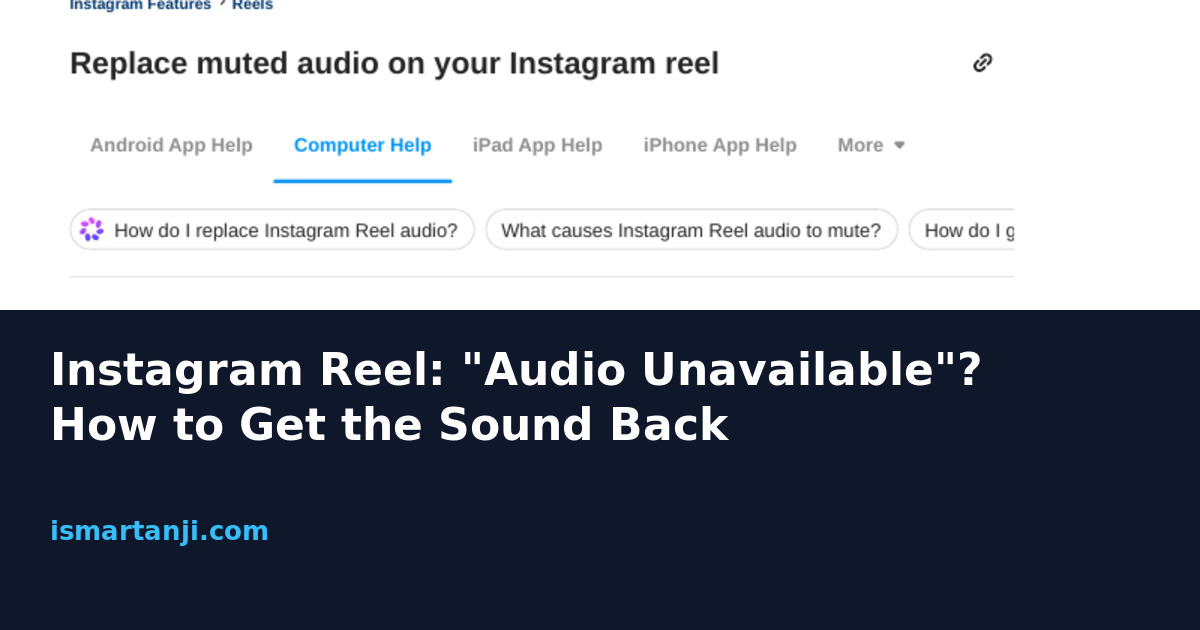
Short answer: “Audio unavailable” means Instagram has muted the song on your Reel, but the video itself is fine. If the Reel is yours, open it, tap Audio unavailable, tap Replace audio twice, pick a new track and tap Done. You get this swap only one time per muted Reel, so choose the new track with care.
Most guides stop there. The harder questions are why it happened, why the button is missing on some Reels, and how to stop it happening again. People keep asking these, for example in this Q&A thread about a Reel going silent after sharing, and the replies are mostly guesses. This guide gives you a clear way to find your case.
What the message really means
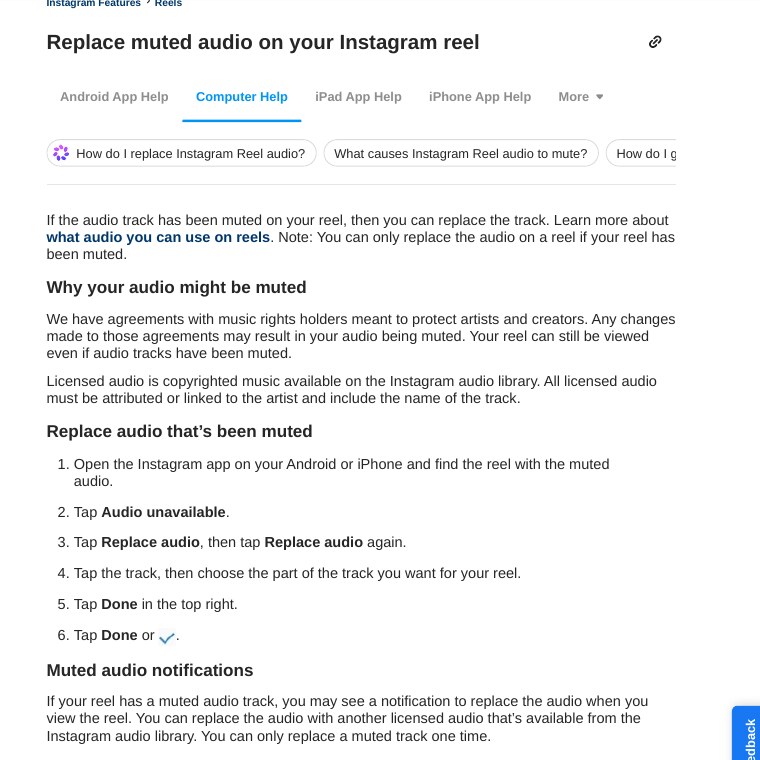
Instagram does not own most songs. It borrows them from music companies under agreements. When a song is cut from a deal, or a company objects, Instagram mutes that song on every Reel that used it. Your clip stays online and people can still watch it. Only the sound is gone, and you see a small notice with the words Audio unavailable.
Think of it like a shop that loses the right to sell one brand. The shelf stays, the product is removed. This is why a Reel can be fine for a month and then go silent one morning. Nothing is wrong with your phone, your data pack or your edit.
Step 1: Find out which kind of silence you have
Three different problems look the same to a viewer, and each has a different fix. Spend one minute on this before you touch anything.
| What you see | Likely cause | What to do |
|---|---|---|
| Notice says Audio unavailable on your own Reel | The song was muted after posting | Use Replace audio (steps below) |
| Song is greyed out or missing while you edit | Your account type or country has no access to the licensed library | Use the Sound Collection or your own audio |
| Reel never had sound, no notice at all | Your exported file had no audio track | Re-export and upload again |
| Silent only on your phone, other videos fine | Volume, silent mode or Bluetooth | Check the phone, not the Reel |
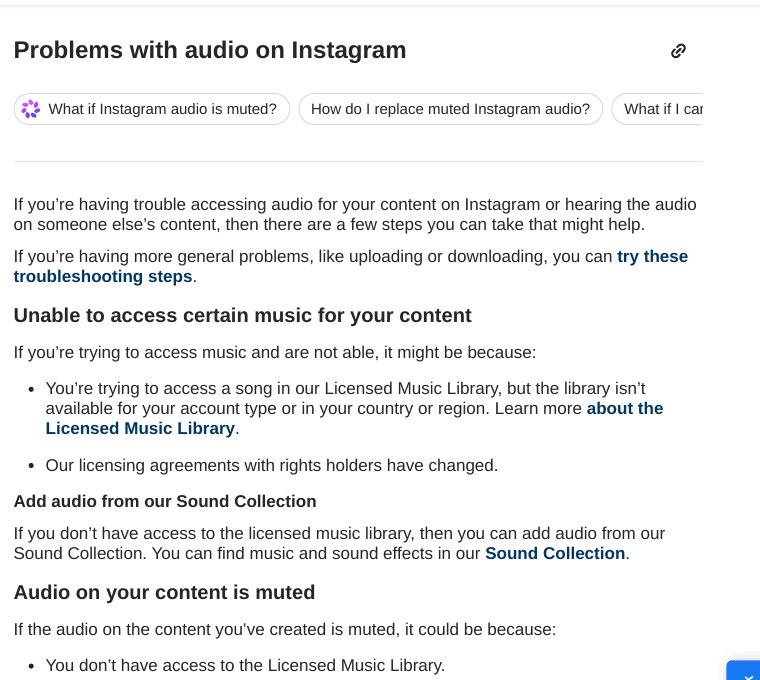
Instagram’s own audio help page lists three reasons your content can be muted: you do not have access to the licensed music library, the company’s agreements with music owners changed, or the owner blocked your content because it contains material they own. The first one is the one most small business owners in India miss.
Step 2: Replace the muted audio
This is the main fix. It works only on a Reel that Instagram has actually muted. If you open a healthy Reel you will not see the option.
- Open Instagram on your Android phone and go to your profile.
- Open the silent Reel.
- Tap Audio unavailable on the Reel.
- Tap Replace audio, then tap Replace audio once more on the next screen.
- Tap a track and drag to choose the part you want.
- Tap Done at the top right, then Done (or the tick mark) again.
Pick the track like it is your last try
Instagram allows one replacement for a muted track. If you choose a song that is later removed too, you may have no second chance. For anything that matters, such as a shop promo, prefer a track from Meta’s Sound Collection, which is meant for wider use, or music you recorded yourself.
Views, likes and comments stay with the Reel. You only change the sound. You may also see a notification that offers this replacement when you open the Reel, which is a quick way in.
Why the Replace button is missing
This is the part nobody explains well. Here are the real reasons, in the order I would check them.
The Reel is not actually muted
Replace audio is offered only for a Reel that carries the muted notice. If you simply want a different song on a healthy Reel, this button will not appear. Delete and repost, or create a new version.
You already used your one replacement
The Help page says a muted track can be replaced one time. If the new song also gets muted, plan on a new upload.
The audio was inside your video file
If you edited in a video editor and exported with a song baked in, Instagram has to listen and guess what the song is. Sometimes it matches and attaches the track, sometimes it does not. A song you did not add through Instagram’s own audio tool can behave differently from one you did. When in doubt, add music inside Instagram, or keep music out of the edit and use your own voice or sounds.
You are looking at someone else’s Reel
You can only fix your own. On a friend’s Reel, the song may be blocked in your region or taken down, and only the creator can change it.
The account is a business account
Instagram says its licensed library is meant for personal, non-commercial use, and that certain business accounts and certain types of posts do not have access. It does not publish the exact list. Two shops can see different results. If you run a shop page, assume popular film songs are risky.
A better plan for Indian creators and small shops
Film songs are the most popular sound on Reels in India, and also the ones that get muted most. A tailor in Karimnagar posting festival offers, or a coaching centre sharing results, is promoting a business. That is exactly the use the music library is not meant for. Here is what I would do.
| Your situation | Safer choice | Why |
|---|---|---|
| Personal account, just for fun | Library songs inside Instagram | Allowed for personal use, but can still be muted later |
| Shop, coaching class, freelancer | Sound Collection or your own voice-over | Not tied to a personal-use music deal |
| You edit in CapCut or another app | Export without music, add audio in Instagram | Less chance of a bad match |
| Big campaign you cannot redo | Music you have a licence for | Keeps the Reel safe for the long run |
A voice-over is underrated. Talking for ten seconds about your offer in simple Telugu, Hindi or English often keeps people watching longer than a trending song, and it can never be muted.
Check that your exported video really has sound
Sometimes the problem is in the file. A screen recording, a muted clip or a wrong export setting can leave you with no audio track at all. If you have a laptop, this command tells you in one second. It needs FFmpeg installed. I tested it on two small test videos, one with sound and one without.
ffprobe -v error -select_streams a -show_entries stream=codec_name -of csv=p=0 myreel.mp4If it prints a name like aac, the file has audio. If it prints nothing, the video has no audio track, and no Instagram setting will fix that. Go back to your editor and make sure sound is on for every clip and the export.
If you cannot replace it: backup options
- Post a new version. Download your original clip from your gallery, add new audio in Instagram’s Reels editor, and post. You lose old views on the new post, so use this only if the old Reel is not important.
- Pin a caption. If the Reel is old and still draws views, add a line in the caption or a pinned comment that explains the missing song. It keeps viewers from thinking the Reel is broken.
- Wait a few days. Instagram’s help page says tracks can be muted when agreements change. I could not find an official word on whether a muted song returns, so do not count on it.
- Check another account. Open the same Reel from a friend’s phone. If the sound plays for them, the problem is on your side: app, region or network.
Common mistakes
- Clearing the app cache first. It cannot bring back a song that was muted for licence reasons.
- Switching to a business account to get more music. It is the opposite of what you need.
- Using a VPN to see the song. Availability can depend on region, and it will not fix the muted Reel.
- Replacing audio in a hurry. You have one chance, so listen to the track first.
- Blaming the edit. If the notice says Audio unavailable, the export is fine.
My view
Instagram could explain this far better. The notice does not say why a song was muted, and the Replace button is easy to miss. Until that changes, the safest habit is to keep the music for fun posts and use your own voice for anything that sells something. It takes the same time and removes the risk.
FAQ
Will I lose likes and views if I replace the audio?
No. The Reel stays as it is, and only the sound changes.
Can I get the original song back?
Replacing the audio does not bring back the old song. You choose a different track.
Why does the option say Audio unavailable only on my Reel?
Because the notice shows on the content that has a muted track. Other Reels with healthy audio will not show it.
Is it safe to use a business account for Reels?
Yes, but the licensed music library may not be fully open to it. Check the audio tool before you plan a Reel around a song.
Does this happen on iPhone too?
The Instagram Help page gives the same steps for Android and iPhone.
Sources & Documentation
- Instagram Help Center: Replace muted audio on your Instagram reel
- Instagram Help Center: Problems with audio on Instagram
- Instagram Help Center: What audio you can use in your reel on Instagram
- MindStick Q&A: Why does audio disappear when I cross-post a Facebook Reel to Instagram?
Written & Verified by Sampath Anji
Sampath Anji is a technology researcher, systems developer, and digital creator based in Telangana, India. He specializes in on-device AI architectures, autonomous agent workflows, high-throughput inference engines, and digital media production. Every tutorial on ISMARTANJI CREATIONS is grounded in code reproducibility, verified documentation, and transparent test environments. Read our full testing methodology on our About Us page, or submit feedback and code updates via our Contact Desk.