Discover the 7 most powerful AI photo editing tools for creators in 2026. Master generative fill, RAW neural culling, AI upscaling, and portrait relighting.
Architectural Overview & Background
For more than three decades, professional photo editing was defined by manual, pixel-level labor. Photographers, graphic designers, and digital publishers spent endless hours in darkrooms and digital editors performing tedious manual tasks: drawing intricate pen-tool clipping paths, cloning out skin blemishes pore-by-pore, manually balancing complex shadow exposures, correcting motion-blurred lenses, and painstakingly culling thousands of wedding RAW files.
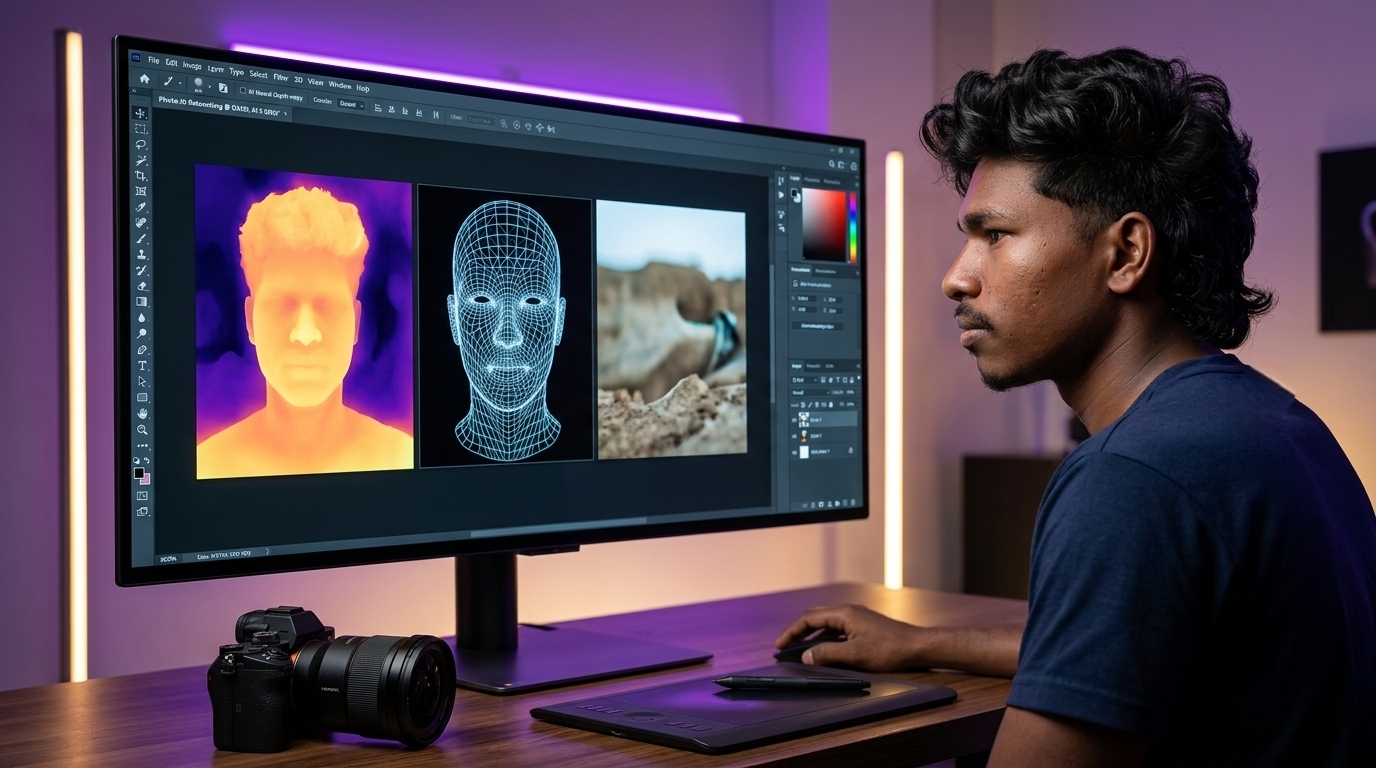
In 2026, that traditional post-processing bottleneck has dissolved entirely. We have crossed into the era of Generative Computational Photography—the convergence of deep vision transformers, on-device Neural Processing Units (NPUs), semantic diffusion models, and automated RAW culling engines. Modern photo editing software no longer treats photos as flat grids of red, green, and blue pixels; instead, it understands 3D spatial geometry, surface textures, facial anatomy, and physical light transport.
At ISMARTANJI CREATIONS, our mission is to empower developers, tech enthusiasts, creators, and visual artists with practical, high-impact technology workflows. Following our recent guides on 7 Powerful AI Video Editing Breakthroughs and 7 Essential Mobile AI Features for Smartphones, this complete guide reveals the seven most powerful AI photo editing tools in 2026 that will transform your creative production.
1. Deconstructing Neural Image Processing: How AI Edits Raw Pixels
To understand why modern AI photo editors are drastically superior to legacy plugins, one must examine how neural image processing operates at the algorithmic level.
Traditional photo editing relied on static mathematical algorithms: curves adjustments, pixel blending modes, and frequency separation. If a subject was out of focus, or if a background object needed removal, the editor had to manually sample nearby textures and disguise the gap.
Neural photo editors replace manual cloning with multimodal visual reasoning through three core technological mechanisms:
- 🌐 Semantic Depth & Geometry Estimation: Foundation vision models inspect 2D photos and generate 32-bit volumetric depth maps in milliseconds, allowing creators to place virtual studio lights behind subjects or simulate optical lens blur with realistic bokeh falloff.
- 🪄 Latent Diffusion Inpainting: When you remove an unwanted object or expand a canvas, generative diffusion models do not merely copy adjacent textures; they understand the global context of the scene, synthesizing brand-new, photorealistic foliage, architecture, or fabric that matches the exact lighting and grain of the camera sensor.
- 🔬 Sub-Pixel Neural Reconstruction: Rather than using basic bicubic interpolation that makes images blurry when enlarged, neural upscalers hallucinate missing high-frequency details (such as eyelashes, fabric weaves, and distant architectural brickwork) with pinpoint accuracy.
2. Legacy Manual Retouching vs. Neural AI Photo Editing (2026 Comparison Matrix)
Understanding the operational shifts between legacy retouching and modern AI-accelerated workflows helps creators choose the right software for their specific niche:
| Production Dimension | ⏳ Traditional Retouching (Legacy) | ⚡ Neural AI Photo Editing (Representative 2026 Capabilities) | Efficiency Gain |
|---|---|---|---|
| Object Removal | Manual clone stamp & healing brush (15–30 Mins) | One-click generative fill & prompt inpainting | 🟢 95% Time Saved |
| Background Isolation | Pen tool manual path drawing & hair masking | Zero-click semantic masking with 99% accuracy | 🟢 Instant (Sub-second) |
| Portrait Skin Retouching | Frequency separation & manual dodge/burn (Hours) | Neural texture-preserving micro-retouching | 🟢 Natural & 10x Faster |
| Lighting Adjustments | Flat 2D exposure sliders & gradient masks | 3D volumetric studio relighting with falloff | 🟢 Realistic Studio Light |
| High-Volume Event Culling | Manually reviewing 3,000+ RAW photos (8–10 Hours) | AI culling for closed eyes, focus & duplicates | 🟢 Finished in 15 Mins |
| Resolution Upscaling | Blurry bicubic interpolation (Max 200%) | 600% Super-Resolution detail synthesis | 🟢 Print-Ready Fidelity |
| Sky & Atmosphere Control | Complex luminosity masking & color grading | One-click 3D atmospheric replacement | 🟢 100% Seamless Blend |
3. The Computational Photo Editing: Generative Inpainting, Neural Relighting, and Workflows
3.1 Adobe Photoshop 2026 (Firefly Image 4 & Neural Filters)
- Category: Industry Standard All-in-One Professional Editor
- Signature AI Superpower: Generative Fill, Generative Expand, and 32-bit HDR Neural Relighting
- Pricing: $22.99/mo (Photoshop Single App) | $59.99/mo (All Creative Cloud Apps)
In 2026, Adobe Photoshop seamlessly integrates the Firefly Image 4 Model directly into layer-based non-destructive workflows. Use prompt-guided generative fill to insert photorealistic objects with matching shadows, drag the crop tool outward with Generative Expand to extend vertical photos into wide landscape banners, and use parametric neural filters to adjust facial expressions and gaze direction while preserving natural skin pores.
Pro Creator Takeaway: Photoshop remains the undisputed king for complex composites, commercial ad layouts, and high-end client deliverables requiring layer-level control.
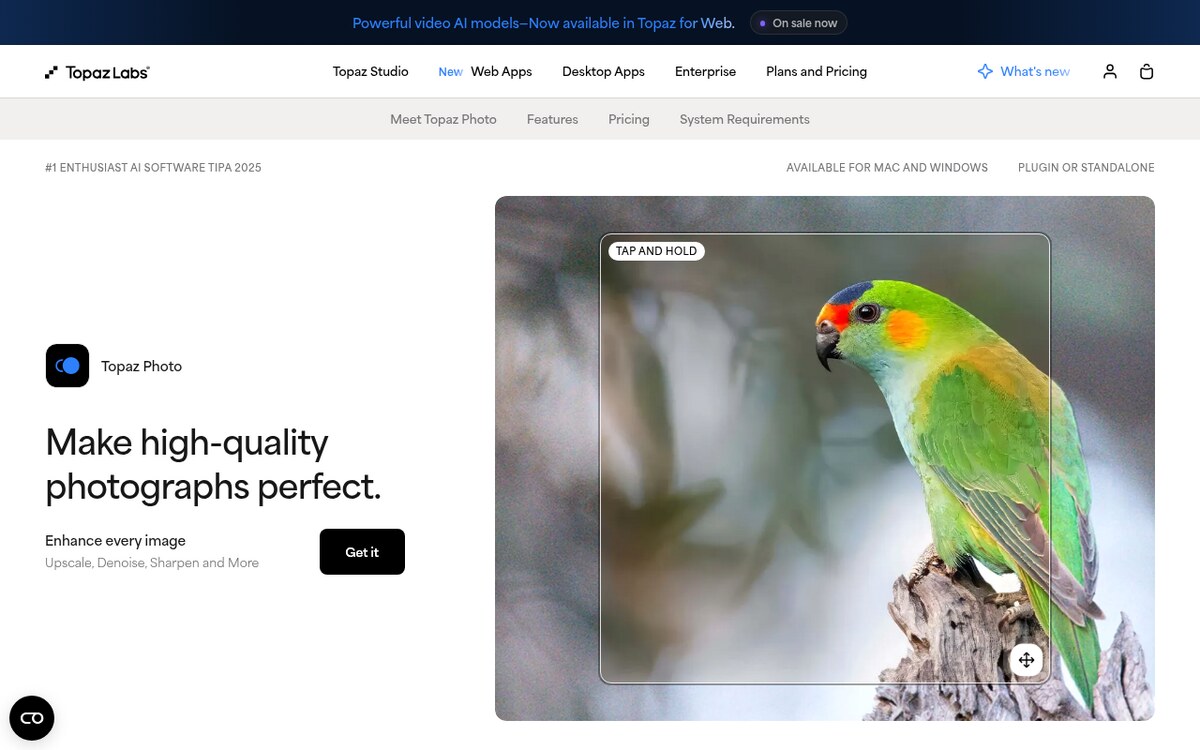
3.2 Topaz Photo AI 4 (Neural Denoise, Deblur & 600% Super-Resolution)
- Category: Dedicated RAW Enhancement & Optical Restoration
- Signature AI Superpower: Autopilot Super-Resolution & Optical Defocus Repair
- Pricing: $199 One-Time Lifetime License (Includes 1 year of updates)
Topaz Photo AI 4 acts as a standalone optical laboratory. Using specialized deep convolutional neural networks trained on millions of RAW captures, it eliminates extreme noise from low-light shots without smearing fine textures, reconstructs razor-sharp focus on motion-blurred eyes, and enlarges 12MP photos into massive 72MP print-ready files.
Pro Creator Takeaway: Run Topaz Photo AI as the very first step in your RAW workflow to rescue imperfect shots before opening them in Lightroom or Photoshop.
3.3 Skylum Luminar Neo (3D Volumetric Atmosphere & Creative Relighting)
- Category: Creative Landscape & Portrait Automation
- Signature AI Superpower: Sky AI 3.0, Relight AI, and GenErase
- Pricing: $11.95/mo (Subscription) or $199 Perpetual Lifetime License
Luminar Neo is designed for rapid, intuitive creative enhancement without steep learning curves. Replace flat overcast skies with dramatic golden-hour sunsets with automated water reflection matching, re-illuminate dark foregrounds using 3D depth maps, and erase power lines and tourists effortlessly with GenErase.
Pro Creator Takeaway: Ideal for travel photographers, landscape artists, and real estate creators who need to deliver visually stunning edits in under two minutes per photo.
3.4 Adobe Lightroom 2026 (AI Batch RAW Processing & Adaptive Masking)
- Category: High-Volume RAW Workflow & Catalog Management
- Signature AI Superpower: Adaptive Subject Presets & AI Lens Blur Falloff
- Pricing: $11.99/mo (Lightroom 1TB Plan) | $19.99/mo (Photography Plan)
Adobe Lightroom 2026 brings neural intelligence directly into batch catalog management: automatically isolate subjects, skies, and facial skin across hundreds of photos simultaneously, apply realistic optical lens blur with customizable bokeh shapes, and sync complex lighting adjustments across entire shoot catalogs.
Pro Creator Takeaway: Pairing Adaptive Presets with Lightroom’s batch sync cuts portrait workflow times by over 80%.
3.5 Krea AI & Magnific AI (Real-Time Canvas Generation & Detail Enhancement)
- Category: Next-Gen Generative Art & Hallucinated Detail Synthesis
- Signature AI Superpower: Real-Time Latent Canvas & Structural Detail Hallucination
- Pricing: Krea AI ($10 – $60/mo) | Magnific AI ($39 – $299/mo)
Krea AI and Magnific AI represent the bleeding edge of generative image manipulation: move basic shapes or colors on a canvas to render photorealistic visuals in real time (30 fps), and use diffusion upscaling to add intricate skin pores, cinematic reflections, and realistic fabric textures that did not exist in the original image.
Pro Creator Takeaway: Unmatched for digital artists, fashion designers, and agency art directors creating concept visuals that demand impossible levels of crisp detail.
3.6 Photoroom Pro (Automated E-Commerce & Product Studio)
- Category: E-Commerce, Retail & Social Product Photography
- Signature AI Superpower: 98% Accurate Background Removal & AI Studio Staging
- Pricing: Free Tier Available | Pro Plan at $9.99/mo or $89.99/yr
Photoroom Pro transforms casual smartphone photos of physical items into commercial-grade catalog images: isolate products with sub-millimeter precision, generate realistic 3D tabletop scenes (such as marble countertops or sunlit wooden shelves) with accurate contact shadows, and output 100 clean product listings in under five minutes.
Pro Creator Takeaway: The ultimate time-saver for online retailers, dropshippers, and small business owners scaling their digital storefronts.
3.7 Imagen AI & Aftershoot (Automated High-Volume RAW Culling & Style Cloning)
- Category: High-Volume Wedding & Event Photography Automation
- Signature AI Superpower: Personal Style Profile Cloning & AI Culling
- Pricing: Flat rate & per-image plans from $0.05/image to $300/yr
Imagen AI and Aftershoot automate the entire post-event pipeline: scan thousands of RAW photos locally to detect blurry shots, closed eyes, and duplicates in minutes, then apply your learned personal editing profile to edit entire 3,000-photo wedding galleries matching your signature look with 99% accuracy.
Pro Creator Takeaway: Turn around entire 3,000-photo wedding galleries within 24 hours of the event without losing your personal artistic identity.

4. Technical Architecture: Building a High-Throughput Photo Pipeline
- Hardware Acceleration: Dedicated GPU VRAM (12GB+) and modern 45+ TOPS NPUs ensure neural filters and generative expansions render in real time without system lag.
- Content Authenticity (C2PA Standards): Leading tools embed open cryptographic metadata (Content Credentials) to verify human authorship and disclose AI-assisted modifications transparently.
- Cloud-Local Hybrid Sync: Keep local RAW master files on high-speed NVMe storage while syncing smart preview proxies to mobile tablets for on-the-go editing.
For a deeper exploration of automated software architecture and next-gen tools, explore our companion technical guide on AI-Driven Web Development & Autonomous Coding Frameworks in 2026.
5. Related Technical Resources
- 📱 Mobile Intelligence: Master on-device features with 7 Essential Mobile AI Features for Smartphones in 2026.
- 🎬 Video Post-Production: Accelerate timeline editing with 7 Powerful AI Video Editing Breakthroughs for Creators in 2026.
- 🌐 Spatial Computing & 3D Web: Discover volumetric spatial design in 7 important spatial AI technologies and creator workflows for Creators in 2026.
- 🤖 Autonomous Workflows: Learn how agent swarms execute complex tasks in Autonomous AI Agents & Multi-Agent Workflows in 2026.
- 🦾 Embodied Robotics: Explore Vision-Language-Action foundation models in Humanoid Robotics & Physical AI in 2026.
- 🔍 Generative Search Optimization: Rank your technical content in AI citation engines with Generative Engine Optimization & AI Search in 2026.
6. Frequently Asked Questions (FAQ)
Q1: What is the best AI photo editing software for beginners in 2026?
Answer: Skylum Luminar Neo and Photoroom Pro offer the most user-friendly experience. Luminar Neo provides one-click AI tools like Sky Replacement and 3D Relighting with intuitive sliders, while Photoroom handles instant e-commerce cutouts and studio staging directly from your phone.
Q2: Will AI photo editors replace professional photographers?
Answer: No. While AI eliminates hours of tedious technical work (such as culling, masking, and object removal), human creativity remains irreplaceable for emotional subject connection, composition, lighting design, and storytelling. In 2026, AI empowers photographers to spend less time editing and more time shooting.
Q3: How does generative AI upscaling differ from traditional image resizing?
Answer: Traditional resizing uses bicubic interpolation, which stretches existing pixels and creates blurry, pixelated results. Generative AI upscaling (such as Topaz Photo AI or Magnific AI) analyzes the image context and reconstructs missing high-frequency details (such as eyelashes, textures, and brickwork) for razor-sharp enlargements up to 600%.
Q4: Can AI learn and replicate my personal photography editing style?
Answer: Yes. Tools like Imagen AI and Aftershoot analyze thousands of your previously edited RAW files, learn your exact color balance, exposure preferences, and contrast curves, and apply your unique personal style profile to full shoots with over 99% consistency.
Q5: Are AI-edited photos permitted for commercial use and monetization?
Answer: Yes. Commercial tools like Adobe Photoshop (Firefly) and Topaz Photo AI are commercially safe and provide full commercial licensing rights. Platforms comply with C2PA Content Credentials to ensure authenticity while allowing monetization across client work and digital publishing.
7. Summary & Implementation Guidelines
AI photo editing in 2026 is no longer about novelty filters—it is an essential operational toolstack that allows creators, photographers, and businesses to produce world-class visual content at unprecedented speed. By automating repetitive culling, masking, and noise removal, you free up your creative energy for what matters most: artistic vision and storytelling.
Deployment Checklist:
- [ ] Step 1: Select Your Core Editor — Choose Adobe Photoshop for commercial layer work, Lightroom for batch RAW processing, or Luminar Neo for rapid creative styling.
- [ ] Step 2: Clean RAW Files First — Run high-ISO or slightly soft images through Topaz Photo AI before applying creative color grades.
- [ ] Step 3: Automate Batch Masking — Utilize Lightroom’s Adaptive AI presets to automatically select subjects, skies, and skin across multi-image shoots.
- [ ] Step 4: Streamline E-Commerce Staging — Use Photoroom Pro to generate studio-grade backgrounds and realistic contact shadows for product catalogs in seconds.
- [ ] Step 5: Clone Your Signature Style — If shooting high-volume events, train an Imagen AI profile on your past work to automate color grading without losing your artistic look.
Sources & Further Reading
Written & Verified by Sampath Anji
Sampath Anji is a technology researcher, systems developer, and digital creator based in Telangana, India. He specializes in on-device AI architectures, autonomous agent workflows, high-throughput inference engines, and digital media production. Every tutorial on ISMARTANJI CREATIONS is grounded in code reproducibility, verified documentation, and transparent test environments. Read our full testing methodology on our About Us page, or submit feedback and code updates via our Contact Desk.