
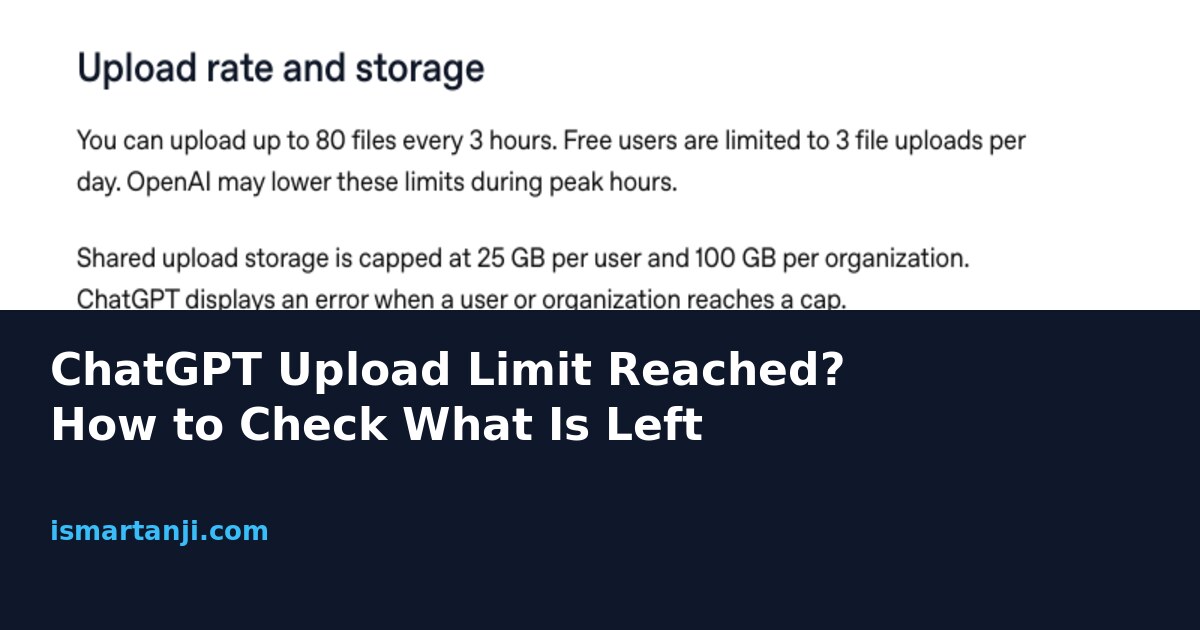
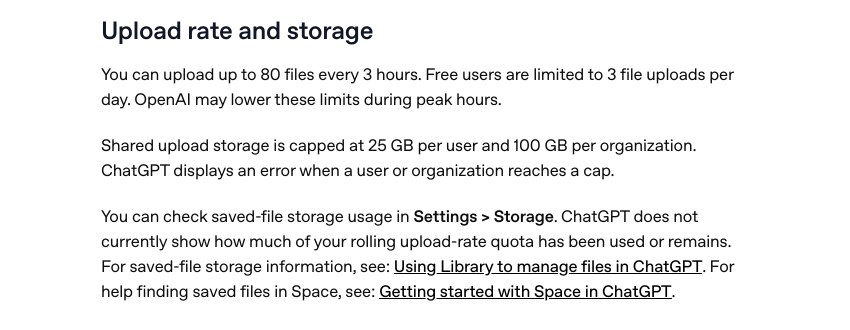
Short answer: ChatGPT keeps a rolling count of how many files you sent, and it does not show you that count anywhere. OpenAI’s help page says so plainly. The limit is up to 80 files every 3 hours, and only 3 file uploads a day on the Free plan. So the only way to know what is left is to count yourself, or wait for the retry time in the error message. Below is a simple way to count, and a way to send fewer files.
Many people on Reddit say the same thing in one thread after another: the usage bar shows plenty left, yet uploads are blocked. One r/ChatGPT thread has a Plus user saying they hit a cap near 90 uploads in three hours while most of their usage was still unused. The replies argue about images. Nobody explains how to plan around it. That is what this guide does.
What are the real upload limits right now?
Several different limits get mixed up in forum posts. They are separate, and each one gives a different error. Here is how I would sort them, using the numbers on OpenAI’s help page as of 10 November 2026.
| Limit | Number | Free plan? | What you notice |
|---|---|---|---|
| Files per rolling window | 80 files every 3 hours | Free is 3 files per day | Message says upload limit reached, sometimes with a retry time |
| Size of one file | 512 MB for documents; about 50 MB for spreadsheets; 20 MB per image | Same sizes | A single file is refused even if you have uploaded nothing today |
| Text inside one file | 2 million tokens per document (not for spreadsheets) | Same | Big file uploads but is read only in part, or is refused |
| Saved storage | 25 GB per user | Same | Error when the storage cap is full |
| Files in a project | 5 on Free, 25 on Go and Plus, 40 on Pro and business plans | Free is 5 | Project will not take a new file |
The last line matters. At busy times the number can be lower than 80, so a limit you hit at 7 pm may not match what you hit at 7 am. That is one reason two people on the same plan tell different stories.
Why does ChatGPT block me when I barely uploaded anything?
There are four common reasons, and I would check them in this order.
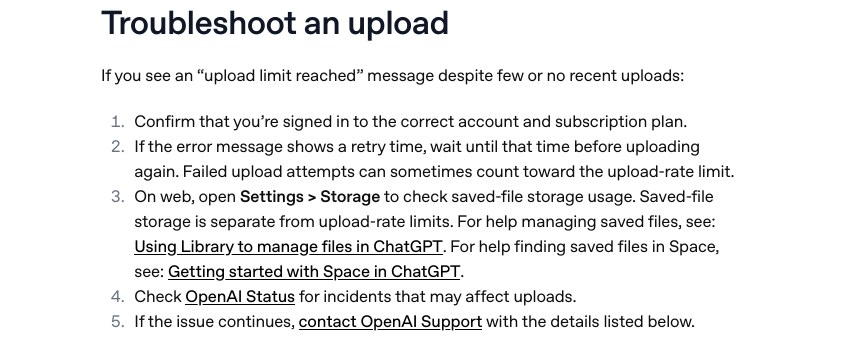
- Failed uploads count. The help page says failed attempts can sometimes count toward the rate limit. A slow Jio or Airtel connection that makes you retry the same PDF five times can burn five slots.
- Images count as files. A student who sends 30 photos of notebook pages for one chapter has used 30 of the 80 slots in a single chat.
- You are on a different account than you think. Many people have a personal Gmail login and a college login. The Free account may be the one you opened.
- The limit is lower at peak time. In India, evening hours overlap with US morning, so the load is high.
Notice what is missing: saved storage. The help page says saved-file storage is separate from the upload-rate limit. Clearing your Library will not reset your 3-hour count, and many guides online get this wrong.
How do I find out how many uploads I have left?
You cannot, directly. So build a tiny habit that works as a meter. The idea is simple: write down the time and the number of files whenever you upload more than a couple. Then you can count back three hours when the error appears.
Keep this note in any app you already use, like Google Keep on your phone. Copy the template below and fill one line per upload.
Upload log (ChatGPT)
Date: 10 Nov
09:10 | 4 files | notes ch.1
09:25 | 12 photos | notes ch.2
10:40 | 1 pdf | past paper
Total since 09:10 = 17 files
Blocked until about 12:10 if I hit the cap
When the cap hits, the oldest line tells you roughly when slots free up. I say roughly, because OpenAI does not publish how the window slides. Treat the log as a guide, not a promise.
Check the error text first
If the message shows a retry time, believe it over your own log. OpenAI’s page tells you to wait until that time before trying again. Pressing upload again and again may add failed attempts to your count.
Fix 1: Send fewer files, not fewer pages
This is the best fix, because the limit counts files and not pages. Fifty photos of a notebook is 50 uploads. One PDF made from those photos is a single upload. A PDF of 80 pages counts the same as a one-page PDF, as long as it stays under the size and token limits in the table above.
On an Android phone, the easy way is Google Drive’s scan option or any scanner app that exports one PDF. On a laptop, you can join PDFs from the terminal. This works on Linux and Mac with the Poppler tools installed. I tested the command here and it joined two PDFs into one with the page count adding up.
pdfunite chapter1.pdf chapter2.pdf chapter3.pdf all-notes.pdf
pdfinfo all-notes.pdf | grep Pages
On Windows, a free PDF merge site works too, but think before you upload a college ID, marksheet or bank statement to a random site. For private papers, use an offline tool.
Fix 2: Wait the right way
- Stop uploading. Do not refresh and retry.
- Read the error. If it shows a time, note it with its time zone, India time is IST.
- Meanwhile, work with what is already in the chat. Questions that need no new file, like follow-ups on text already in the chat, do not use upload slots.
- Come back after the time shown, then upload one file first as a test.
Fix 3: Check the account and the plan
- Tap your profile picture, then look at the plan name on the menu.
- Confirm the email is the one you meant to use. Log out and in if unsure.
- On the web, open Settings, then Storage, to see saved-file storage. This will not show your rate limit, but it rules out the 25 GB cap.
If you pay for Plus but the app shows Free, the cause is almost always a second account. Fixing that removes the 3 files a day cap at once.
Fix 4: Check if it is an outage
Sometimes the failure is on OpenAI’s side. In early November the status page showed a file upload problem where people could not upload files or have them read, and on 8 November it showed image generation errors that were later marked resolved. Open the status page before you blame your account.
Fix 5: Use a different route for big study material
If you upload many files every day, ChatGPT is the wrong place for all of them. Some options that I would try, in this order:
- Paste only the part you need as text. A 2 page extract answers most questions.
- Put related files in a Project. The help page says a Free project holds 5 files, Go and Plus hold 25. Files saved there are handled differently from files attached in chat, and embedded images may not be read automatically.
- Ask questions about the same file in the same chat, instead of uploading it again in a new chat.
- Use another AI app for part of the work, like Gemini or Claude. Their limits differ, and spreading work across apps is a normal way to stay under each cap.
A simple plan for Indian students and freelancers
Take a B.Com student who studies from 40 scanned pages and 3 past papers. The slow way is 43 uploads, and a Free account stops after 3. The better way is to make two PDFs, one for notes and one for papers, and upload those. That is 2 uploads. Then ask all questions in one chat.
A freelancer sending client invoices has the same problem. Merge the month into one PDF, name it clearly, and remove client bank details if the question does not need them.
Common mistakes
- Deleting chats to reset the limit. Chats and the rate window are separate things.
- Retrying the same upload many times. Failed attempts may count.
- Uploading photos one by one. One PDF beats many images.
- Trusting the usage bar. It does not track the upload window, as users on Reddit keep finding out.
- Uploading private documents to save time. Check your data settings first.
- Assuming a paid plan has no limit. The 80 per 3 hours cap applies to paid plans too.
FAQ
Is there a meter for uploads in ChatGPT?
No. OpenAI’s help page says ChatGPT does not currently show how much of the rolling upload quota is used or left.
Does deleting a file from my Library give me upload slots back?
No. Saved-file storage is separate from the upload-rate limit, according to the help page.
How many uploads does the Free plan allow?
The help page says Free users are limited to 3 file uploads per day. The 80 files every 3 hours figure is the general cap.
Why is my file refused when I have not uploaded anything?
Probably the file is too big. Documents are capped at 512 MB, spreadsheets near 50 MB, and images at 20 MB each.
Can I ask OpenAI to raise the limit?
The help page only points to support when the problem continues. Send them your account email, a screenshot, the time with time zone, and your browser or app.
Sources & Documentation
- OpenAI Help: Uploading files and audio to ChatGPT (limits, rate window, troubleshooting)
- OpenAI Status (incident history)
- OpenAI Help: Using Library to manage files in ChatGPT (linked from the upload article)
- r/ChatGPT: hidden limits thread (user report, not official)
Written & Verified by Sampath Anji
Sampath Anji is a technology researcher, systems developer, and digital creator based in Telangana, India. He specializes in on-device AI architectures, autonomous agent workflows, high-throughput inference engines, and digital media production. Every tutorial on ISMARTANJI CREATIONS is grounded in code reproducibility, verified documentation, and transparent test environments. Read our full testing methodology on our About Us page, or submit feedback and code updates via our Contact Desk.