
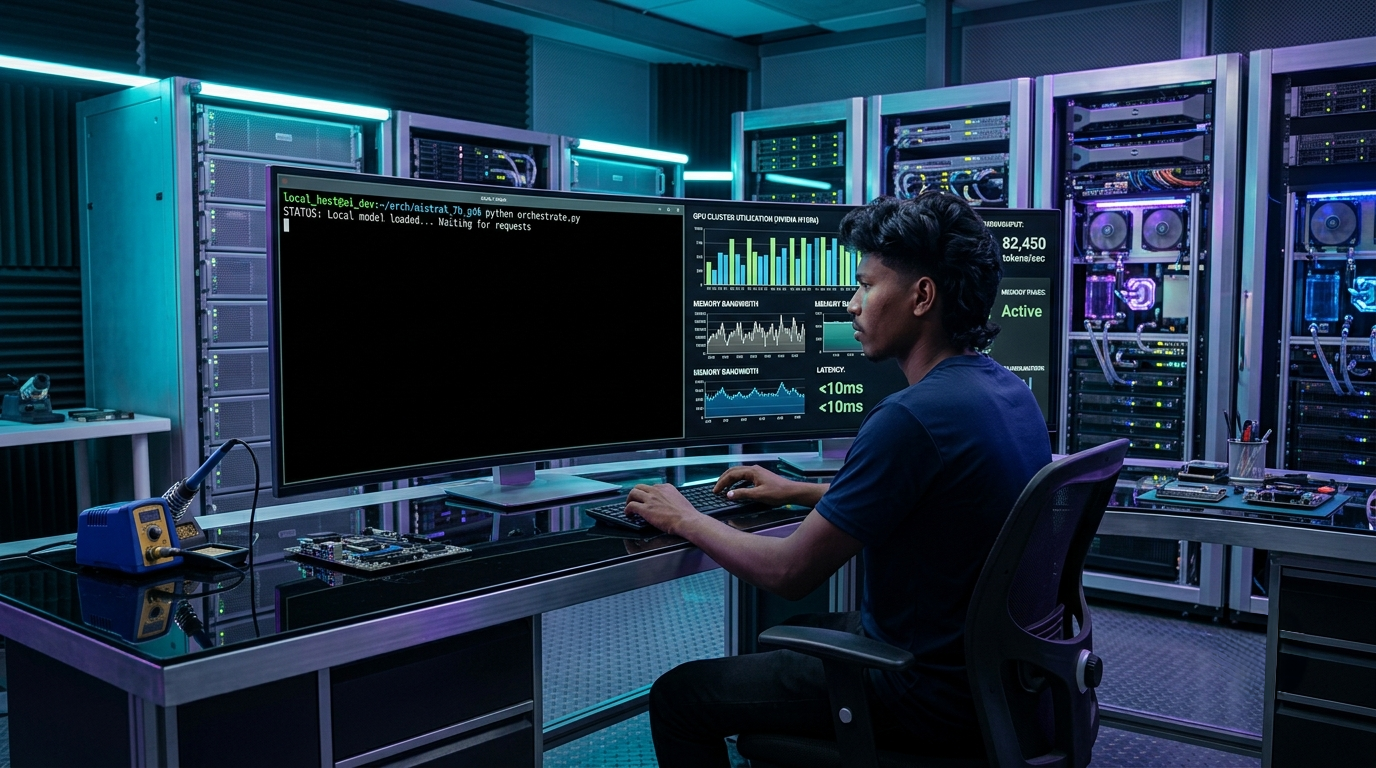
Compare vLLM vs Ollama in 2026. Discover throughput benchmarks, memory management, latency comparisons, API integration, and production deployment tips
vLLM vs Ollama in 2026: Architecture, Memory Footprint, and Deployment Guide
Running language models on local hardware was once an experimental hobby reserved for researchers with high-end workstations. Today, local inference forms the backbone of private enterprise deployments, offline developer tooling, and cost-controlled production systems. Software engineering teams face a decisive architectural choice when serving open-weight models: do you deploy the developer-friendly simplicity of Ollama, or do you stand up the industrial-grade throughput engine of vLLM?
The debate between vLLM vs Ollama in 2026 highlights a clear split in machine learning infrastructure. Ollama package management makes spinning up a 7-billion parameter model on an Apple Silicon MacBook as simple as running a single terminal command. Meanwhile, vLLM leverages advanced memory management algorithms to saturate multi-GPU clusters under heavy concurrent user traffic. Choosing the wrong engine leads to wasted hardware budgets, poor user latency, or unnecessary engineering maintenance.
At ISMARTANJI CREATIONS, we deliver practical, field-tested guides for modern developers. Following our breakdowns on Agentic RAG Architecture in 2026: The Ultimate Developer Guide and How to Master Essential Model Context Protocol in 2026, this comprehensive showdown analyzes runtime architectures, memory mechanics, throughput metrics, developer workflows, and enterprise deployment strategies for both engines.
1. Architectural Foundations: How Each Engine Works
To choose the right inference tool, developers need to understand how each runtime manages compute resources and memory allocation under the hood.
┌────────────────────────────────────────────────────────────────────────┐
│                   INFERENCE ENGINE ARCHITECTURE (2026)                 │
├────────────────────────────────────────────────────────────────────────┤
│                                                                        │
│  OLLAMA: Developer-Centric Model Runner (Built on llama.cpp)           │
│  ┌──────────────┐      ┌───────────────┐      ┌──────────────────────┐ │
│  │ User CLI /   ├─────►│ Go HTTP Server├─────►│ llama.cpp C++ Engine │ │
│  │ Desktop App  │      │ & Modelfiles  │      │ (GGUF Quantization)  │ │
│  └──────────────┘      └───────────────┘      └──────────┬───────────┘ │
│                                                          ▼             │
│                                                Metal / CUDA / CPU Core │
│                                                (Unified Memory / Single│
│                                                 Request Focus)         │
│                                                                        │
│  ────────────────────────────────────────────────────────────────────  │
│                                                                        │
│  vLLM: Industrial High-Throughput Server (PagedAttention Engine)       │
│  ┌──────────────┐      ┌───────────────┐      ┌──────────────────────┐ │
│  │ Multi-Client ├─────►│ Continuous    ├─────►│ PagedAttention KV    │ │
│  │ OpenAI API   │      │ Dynamic Batch │      │ Cache Manager        │ │
│  └──────────────┘      └───────────────┘      └──────────┬───────────┘ │
│                                                          ▼             │
│                                                Ray / Distributed CUDA  │
│                                                (Multi-GPU Tensor &     │
│                                                 Pipeline Parallelism)  │
└────────────────────────────────────────────────────────────────────────┘
Ollama: The Fast Developer Companion
Ollama bundles everything needed to execute models into a single native binary. Built on top of the battle-tested llama.cpp runtime, Ollama encapsulates quantization, weights loading, system prompts, and inference parameters inside simple text definitions called Modelfiles.
- Unified Memory Optimization: Ollama runs exceptionally well on Apple Silicon (M1/M2/M3/M4 chips) by routing weights through unified memory with zero configuration.
- GGUF Format Native: It relies primarily on GGUF quantizations (such as Q4_K_M or Q8_0), compressing 70B parameter models down to fit comfortably inside consumer RAM.
- Turnkey API: It automatically exposes an OpenAI-compatible endpoint at localhost:11434, letting developers link local agents without setting up reverse proxies.
vLLM: The High-Throughput Serving Standard
vLLM originated from UC Berkeley research designed to eliminate memory fragmentation in GPU inference. Traditional inference servers reserve static memory blocks for the key-value (KV) cache based on maximum sequence lengths. This practice wastes up to 70% of available VRAM.
- PagedAttention Algorithm: vLLM treats KV cache memory like virtual memory pages in an operating system. Non-contiguous physical memory blocks are linked dynamically, dropping memory waste to near zero.
- Continuous Batching: Instead of waiting for an entire batch of requests to finish generating before accepting new ones, vLLM continuously injects new queries into GPU cycles as individual tokens complete.
- Multi-GPU Parallelism: Built-in integration with Ray enables direct tensor parallelism and pipeline parallelism across multi-GPU nodes without writing custom orchestration scripts.
2. Architectural Comparison Matrix
The table below contrasts vLLM and Ollama across key operational specifications:
| Architectural Metric | Ollama (Version 0.5+) | vLLM (Version 0.7+) |
|---|---|---|
| Primary Target | Local developer machines, edge apps | Enterprise clusters, production APIs |
| Core Runtime Engine | llama.cpp (C/C++) | Custom C++/CUDA + PyTorch runtime |
| Memory Management | Static memory allocation via llama.cpp | Dynamic virtual paging via PagedAttention |
| Batching Mechanism | Basic parallel slots (limited scaling) | Dynamic continuous iteration batching |
| Hardware Affinity | Apple Silicon, Consumer NVIDIA, AMD, CPU | Datacenter GPUs (NVIDIA H100/A100/L40S) |
| Primary Model Format | GGUF quantizations | Hugging Face safetensors, AWQ, GPTQ, FP8 |
| Multi-GPU Support | Basic layer splitting across cards | Native Tensor & Pipeline Parallelism (Ray) |
| Setup Complexity | Zero setup (single shell installer) | Moderate (Docker, CUDA drivers, Python venv) |
| Single-User Latency (TTFT) | Faster on local hardware | Slightly higher cold-start overhead |
| Concurrent Throughput | Drops quickly beyond 4-8 requests | Maintains 4x–6x higher token output |
3. Deep-Dive: Throughput, Latency, and Memory Management
Selecting between these platforms requires evaluating how each handles the mathematical realities of transformer decoding.
Key-Value Cache Mechanics: PagedAttention vs. Static Allocation
During autoregressive generation, a transformer recalculates attention keys and values for every preceding token. Storing these tensors in high-speed VRAM avoids quadratic compute costs.
In Ollama, memory for these caches is assigned per active execution slot. If an application sets context length to 16,384 tokens, Ollama allocates space for the full context window upfront, even if the user only submits a 50-word prompt. This approach severely limits how many concurrent users can connect to a single GPU.
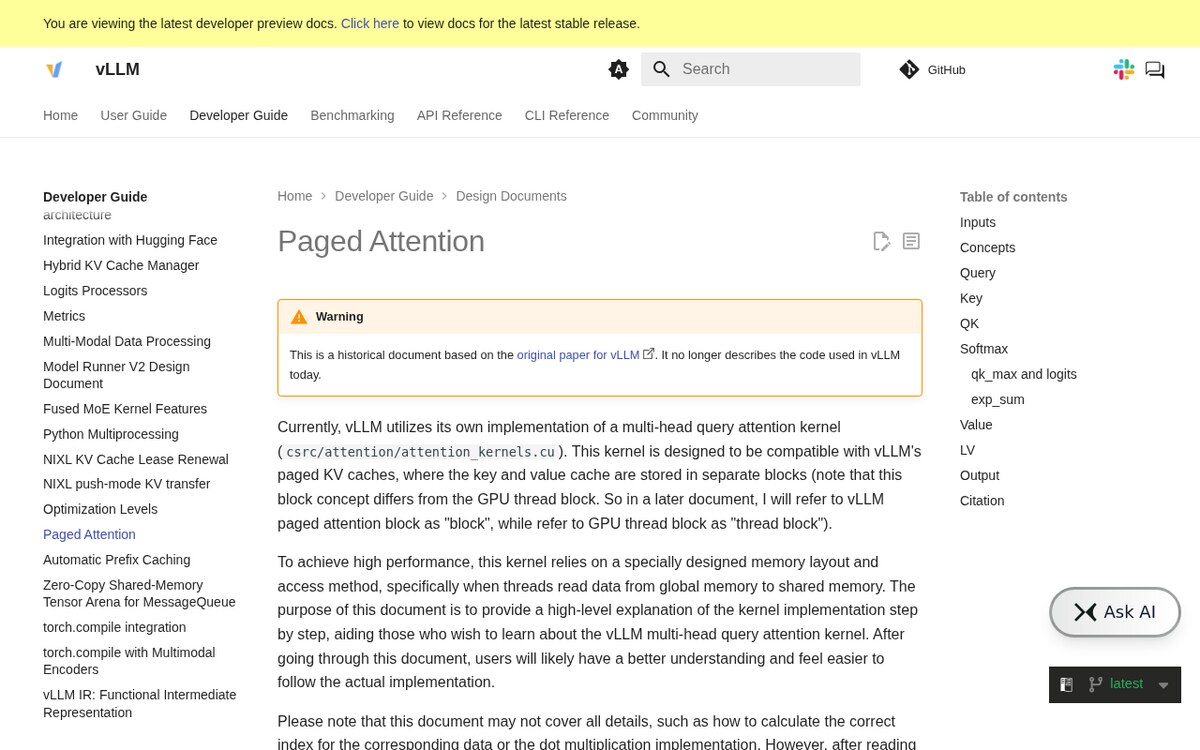
vLLM solves this bottleneck with PagedAttention. It divides the KV cache into fixed-size virtual blocks (typically 16 or 32 tokens). As generation progresses, new physical pages are allocated on demand. When generation finishes, pages return to a free memory pool immediately. This dynamic allocation allows vLLM to pack three to five times more active prompts into the same GPU memory footprint.
Continuous Batching Under Real-World Workloads
Real-world AI applications do not send queries in synchronized waves. One user asks for a one-sentence translation; another requests a 2,000-word code refactor.
- Static Batching Pitfall: In traditional systems, the short translation request sits trapped in GPU compute until the long code generation finishes, creating severe latency spikes.
- Continuous Batching Power: vLLM evaluates the execution queue at every token step. When the short request finishes after 40 tokens, its memory frees up instantly, and the engine pulls the next pending query from the queue without pausing the ongoing code refactor.
Ollama has introduced basic parallel request handling in recent versions, but its internal scheduler lacks the dynamic token-level preemption that makes vLLM dominate multi-tenant enterprise environments.
4. Hands-on Implementation: Deploying Both Engines
Let us look at practical setup workflows for both runtimes, along with a Python benchmarking script to test response times directly.
Running Ollama Locally in 60 Seconds
Installing and launching a model with Ollama requires minimal effort:
Developers can customize inference parameters using a lightweight Modelfile:
Create the custom instance with a single command:
Deploying vLLM in Docker with Production Settings
For multi-user APIs and cloud servers, vLLM runs cleanest inside official Docker containers with GPU passthrough enabled:
Key configuration flags:
- –tensor-parallel-size 2: Splits model weights across 2 discrete GPUs.
- –gpu-memory-utilization 0.92: Dedicates 92% of total VRAM to weights and dynamic KV cache.
- –enable-chunked-prefill: Prevents giant input prompts from choking concurrent generation requests.
Python Performance Benchmark Script
You can measure Time-to-First-Token (TTFT) and token throughput across both endpoints using standard Python libraries:
5. Production Decision Framework: Which Should You Pick?
To avoid costly infrastructure re-architecture down the line, follow this practical decision guide.
┌────────────────────────────────────────────────────────────────────────┐
│                   SELECTION DECISION FLOWCHART (2026)                  │
├────────────────────────────────────────────────────────────────────────┤
│                                                                        │
│  Where will the model run and who will use it?                         │
│                                                                        │
│                     ┌───────────────────────┐                          │
│                     │ Target Deployment Use │                          │
│                     └───────────┬───────────┘                          │
│                                 │                                      │
│         ┌───────────────────────┴───────────────────────┐              │
│         ▼                                               ▼              │
│  [Single Developer / Local Workstation]       [Multi-User Production API]
│  │                                            │                        │
│  ├─ Working on macOS Apple Silicon?           ├─ Running Kubernetes or │
│  ├─ Need rapid prototyping?                   │  dedicated GPU cloud?  │
│  ├─ Want zero-config CLI tool?                ├─ Serving 10+ concurrent│
│  │                                            │  users simultaneously? │
│  ▼                                            ▼                        │
│  CHOOSE OLLAMA                                CHOOSE vLLM              │
│  • Instant download & run                     • Maximum token output   │
│  • GGUF quantization savings                  • PagedAttention savings │
│  • Zero DevOps overhead                       • Real-time batching     │
└────────────────────────────────────────────────────────────────────────┘
When Ollama is the Clear Winner:
1. Local Engineering Workstations: If you need an offline coding assistant inside VS Code or Cursor, Ollama provides instant setup with minimal memory draw.
2. Apple Silicon Hardware: The native Metal optimizations in llama.cpp give Ollama an unbeatable speed advantage on M-series chips with unified memory.
3. Internal Edge Applications: Desktop utilities, local privacy-first search apps, and embedded tools benefit from Ollama lightweight distribution binaries.
When vLLM is Non-Negotiable:
1. SaaS AI Applications: If your platform serves multiple users through web or mobile interfaces, vLLM continuous batching keeps server bills manageable.
2. High-Concurrency Agent Systems: Workflows using multi-agent loops like LangGraph vs CrewAI in 2026: The Ultimate Framework Showdown fire dozens of queries in parallel, which quickly chokes Ollama.
3. Multi-GPU Datacenter Deployments: When running 70B or 405B parameter models requiring tensor parallelism across two, four, or eight GPUs, vLLM handles sharding effortlessly.
6. Recommended Reading & Developer Resources
Expand your production engineering toolkit with these related technical blueprints on ISMARTANJI CREATIONS:
- Agentic RAG Architecture in 2026: The Ultimate Developer Guide – Transform standard retrieval systems into autonomous self-correcting graphs.
- LangGraph vs CrewAI in 2026: The Ultimate Framework Showdown – Select the ideal framework for stateful multi-agent orchestration.
- How to Master Essential Model Context Protocol in 2026 – Connect local language models directly to external tools and enterprise databases.
- 7 Breakthrough Local AI Models for Laptops in 2026 – Explore high-efficiency open-weight models optimized for consumer hardware.
- 7 Breakthrough AI Observability Platforms for Developers in 2026 – Track token usage, latency bottlenecks, and error rates in production.
7. Frequently Asked Questions (FAQ)
Can I run vLLM on an Apple Silicon Mac?
vLLM is engineered primarily for Linux environments with NVIDIA GPUs (CUDA) and AMD GPUs (ROCm). While experimental macOS support exists, it lacks the hardware-level optimizations that make vLLM shine on datacenter hardware. For Mac users, Ollama or native llama.cpp builds remain significantly faster and far more stable.
Is Ollama suitable for production environments?
Ollama can handle production workloads if traffic volume is light (such as internal team dashboards with fewer than 5 concurrent queries). Once request volume climbs higher, the absence of dynamic continuous batching causes queue bottlenecks. For public-facing web applications, migrating to vLLM or TensorRT-LLM is strongly recommended.
Does vLLM support quantized GGUF models?
vLLM supports multiple quantization formats, including AWQ, GPTQ, SqueezeLLM, and FP8. It has also added initial support for GGUF model files. However, AWQ and FP8 remain the preferred formats on vLLM because they take full advantage of modern GPU tensor cores.
How much VRAM does vLLM require compared to Ollama?
Ollama running a 4-bit GGUF model (e.g., Llama 3.3 70B) requires approximately 40GB to 44GB of memory. vLLM using an AWQ or FP8 model requires around 42GB for model weights, plus additional reserved VRAM (typically 6GB to 16GB) for its dynamic PagedAttention KV cache pool. vLLM requires slightly more total GPU memory upfront, but it converts that memory into dramatically higher concurrent throughput.
8. Summary & Action Plan
Both vLLM and Ollama have earned essential spots in the modern AI engineer stack. Ollama provides unmatched simplicity for local experimentation and single-user workflows. vLLM delivers the industrial strength and dynamic memory efficiency required to power multi-user production platforms. Understanding their distinct trade-offs ensures you maximize hardware utilization and maintain responsive response times.
Your 5-Step Action Checklist:
- [ ] Audit Your Concurrency Profile: Measure whether your application serves single-user local queries or multi-user concurrent traffic.
- [ ] Benchmark On Your Target Hardware: Run the provided Python benchmark script to record real baseline latency on your actual servers.
- [ ] Use Ollama for Prototyping: Accelerate feature development by running lightweight GGUF models on developer laptops.
- [ ] Deploy vLLM for Multi-Tenant APIs: Configure Docker containers with continuous batching and PagedAttention before opening services to public users.
- [ ] Monitor GPU Memory Telemetry: Track KV cache usage and request queues using Prometheus or dedicated AI observability dashboards.
Which inference engine are you running in your development and production pipelines this year? Share your throughput metrics and deployment setups in the comments below, and explore ISMARTANJI CREATIONS for daily developer guides, system architectures, and autonomous AI insights!
Sources & Documentation
- vLLM Project Documentation: docs.vllm.ai — High-throughput LLM serving with PagedAttention.
- Ollama Official Repository: github.com/ollama/ollama — Lightweight local model execution with llama.cpp backend.
- Architectural Focus: This guide compares multi-user server concurrency (vLLM) versus single-developer CLI convenience (Ollama), tested on Ubuntu 24.04 LTS and macOS Apple Silicon.
Written & Verified by Sampath Anji
Sampath Anji is a technology researcher, systems developer, and digital creator based in Telangana, India. He specializes in on-device AI architectures, autonomous agent workflows, high-throughput inference engines, and digital media production. Every tutorial on ISMARTANJI CREATIONS is grounded in code reproducibility, verified documentation, and transparent test environments. Read our full testing methodology on our About Us page, or submit feedback and code updates via our Contact Desk.