

Discover Enterprise No-Code AI Automation: Workflow Orchestration and Tool Integration. Build self-healing agentic workflows, automate web data extraction, and cut operational busywork.
Enterprise No-Code AI Automation: Workflow Orchestration and Tool Integration
Manual copy-pasting kills creative momentum. Spending hours scraping leads, formatting messy spreadsheets, summarizing client emails, and routing customer tickets pulls creators and startup founders away from high-value strategic growth. Traditional automation platforms helped trigger simple webhooks, but they broke down the moment messy unstructured text, dynamic website layouts, or nuanced human decisions entered the pipeline.
In 2026, building intelligent operational pipelines no longer demands writing complex Python scripts or wrestling with low-level API wrappers. The emergence of no-code AI automation 2026 platforms allows non-technical creators and agile teams to build self-healing multi-agent workflows using intuitive visual drag-and-drop canvases. These platforms pair large language models with native web scrapers, dynamic memory stores, and pre-built API integrations to execute multi-step business logic autonomously.
At ISMARTANJI CREATIONS, our mission is to empower creators, software builders, and business owners with practical, cutting-edge technology workflows. Following our popular breakdowns on 7 Breakthrough Autonomous AI Agent Frameworks in 2026 and 7 Breakthrough AI Web Scraping Tools in 2026, this definitive guide showcases the seven best no-code AI automation platforms you can deploy today to streamline your operations.
1. How Modern No-Code AI Automation Systems Work
Legacy automation relied entirely on deterministic “If This, Then That” logic. If an API returned unexpected JSON keys or an email had slightly different phrasing, the execution failed immediately. Modern visual automation engines introduce semantic reasoning and dynamic agent loops into every stage of your workflow:┌────────────────────────────────────────────────────────────────────────┐
│ MODERN NO-CODE AI AGENTIC WORKFLOW PIPELINE │
├────────────────────────────────────────────────────────────────────────┤
│ 1. Event Ingestion -> Webhooks, Form Submissions, RSS, Inbound Mail│
│ │ │
│ 2. Semantic Parsing -> Multimodal LLMs Clean & Structure Data │
│ │ │
│ 3. Agent Reasoning -> Sub-Agent Router Picks Action Path │
│ │ │
│ 4. Tool Execution -> Headless Browsing, Database CRUD, API Calls │
│ │ │
│ 5. Verification Gate -> Human-in-the-Loop Check / Self-Healing Loop │
│ │ │
│ 6. Output Delivery -> Slack, Notion, CRM, Email, Web Publishing │
└────────────────────────────────────────────────────────────────────────┘
- Multimodal Data Normalization: Incoming data arrives in messy formats—voice notes, scanned invoices, social media comments, or raw HTML. Embedded vision and language models instantly extract structured JSON schema without brittle regex patterns.
- Dynamic Decision Routing: Instead of hardcoded filter rules, AI router nodes evaluate intent and sentiment to dispatch tasks to specialized downstream sub-agents.
- Self-Healing Error Correction: When an external service rate-limits a request or alters its response shape, the automation engine feeds the error back into an LLM node to adjust parameters and retry automatically.
2. Legacy Automation vs. Modern No-Code AI Automation
Understanding the architectural shift between legacy webhook triggers and next-generation visual agent pipelines helps you choose the right infrastructure for your business:
| Operational Feature | Legacy Webhook Platforms (Zapier Old Stack) | Modern No-Code AI Automation (2026 Stack) | Practical User Impact |
|---|---|---|---|
| Logic Construction | Rigid linear triggers and static if/else filters | Visual node graphs with dynamic LLM agent routing | Handles unpredictable text & edge cases |
| Data Processing | Exact string matching and basic text splits | Multimodal reasoning, summarization, & OCR | Cleans raw messy data automatically |
| Web Interaction | Static API integrations only | Built-in headless browsers & AI screen parsers | Scrapes websites lacking public APIs |
| Error Handling | Hard stops and failed execution alerts | Self-correcting prompt loops & smart retries | 90% drop in broken workflow notifications |
| Hosting Options | Closed proprietary cloud servers only | Self-hosted open-source or managed cloud | Total privacy and zero data leakage |
3. Top 7 No-Code AI Automation Tools for Creators & Teams
Here are the seven standout visual AI automation platforms driving business efficiency in 2026, evaluated for flexibility, ease of use, agentic capabilities, and cost efficiency.
1. n8n (AI Agent Nodes & LangChain Integration) – The Open-Source Powerhouse
n8n has established itself as the premier visual automation workflow engine for technical creators, developers, and privacy-conscious organizations. It combines full control over your hosting environment with native visual nodes for LLM chaining, vector memory buffers, and tool calling.
- Best For: Complex multi-step business automation, self-hosted private workflows, and custom AI agent pipelines.
- Core Strengths:
- Native AI Agent Nodes: Drag and drop dedicated OpenAI, Anthropic, Gemini, or local Ollama LLM nodes directly into your workflow canvas.
- Memory & Vector Store Connectors: Connect PostgreSQL (pgvector), Pinecone, or Qdrant nodes to give your automated agents persistent long-term memory.
- Fair-Code Licensing: Self-host completely free on your own VPS or run via their managed cloud platform without steep per-execution pricing penalties.
- Standout Feature: The Sub-Workflow Agent Tool allows an LLM agent to dynamically trigger child workflows as external tools based on user intent.
- Pricing: Free self-hosted; Cloud plans start at €20/month for unlimited team collaboration.
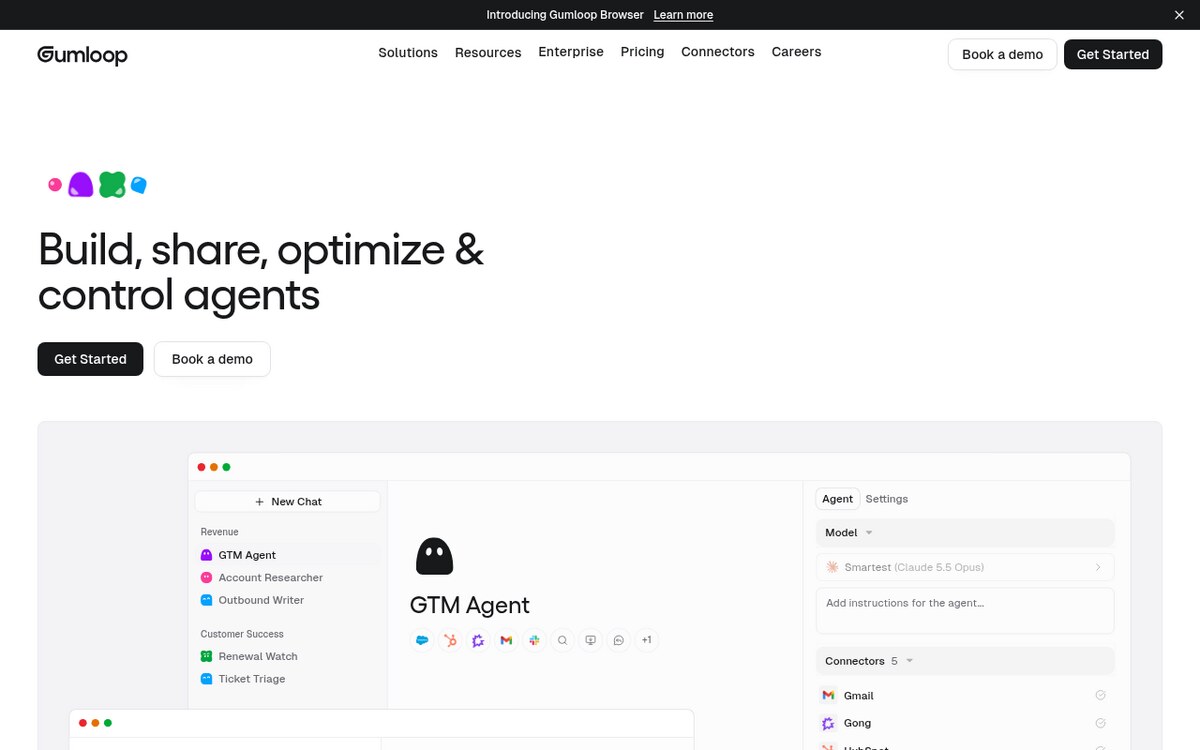
2. Gumloop – The High-Speed AI Web Scraper & Research Engine
Gumloop is built specifically for growth hackers, market researchers, and marketing teams who need to extract, enrich, and process unstructured internet data without writing custom Python scripts.
- Best For: Automated market research, LinkedIn prospect enrichment, competitive intelligence, and high-volume content generation.
- Core Strengths:
- Autonomous Web Extraction Nodes: Point Gumloop at any URL; its internal browser agent navigates pagination, bypasses popups, and extracts structured data.
- Parallel Execution Loops: Run hundreds of research workflows concurrently across thousands of rows in a Google Sheet or Airtable database.
- Pre-Built Template Library: Clone production-ready templates for SEO keyword research, podcast show-note generation, and competitor price tracking in seconds.
- Standout Feature: The Visual AI Extraction node reads raw visual web pages like a human researcher, rendering complex tables into clean spreadsheets.
- Pricing: Free tier available; Pro plans start at $29/month.
3. Make.com (AI Assistant & Dynamic Data Parser) – Enterprise Visual Logic
Make (formerly Integromat) remains the gold standard for intricate, multi-branch visual workflow design. Its native AI assistant and generative data parsing modules allow non-programmers to construct sophisticated enterprise operations.
- Best For: Deep multi-app ecosystem integrations, visual data mapping, and automated client onboarding pipelines.
- Core Strengths:
- Visual Execution Debugger: Watch data packets glide through individual router branches in real time, pinpointing errors instantly.
- AI Text & Vision Modules: Process incoming customer attachments, extract receipt line items, and generate tailored email drafts inside standard branches.
- Extensive 2,000+ App Directory: Direct native connectors to every major CRM, cloud storage provider, payment gateway, and social platform.
- Standout Feature: The Make AI Assistant can generate entire complex routing workflows from a single plain-English prompt.
- Pricing: Free plan with 1,000 operations/month; Core plans start at $9/month.
4. Relay.app – The Human-in-the-Loop AI Collaboration Hub
Relay.app solves the biggest anxiety of AI automation: unpredictable hallucinations. By integrating simple 1-click human verification checkpoints directly into automated sequences, Relay gives teams full confidence in client-facing workflows.
- Best For: Client-facing communications, sensitive CRM updates, executive briefing summaries, and collaborative team reviews.
- Core Strengths:
- Inline Human Approval Gates: Pause automated runs at key decision points until a team member clicks ‘Approve’ via Slack, email, or web notification.
- Dynamic AI Enrichment: Summarize customer meetings, draft personalized follow-ups, and pull context from Google Drive documents automatically.
- Collaborative Multi-User Triggers: Assign approval steps to specific department leads with fallback timers and automated escalations.
- Standout Feature: One-click approval cards inside Slack enable managers to review and edit AI-drafted client responses without opening another browser tab.
- Pricing: Free plan available; Professional plans start at $19/month per seat.
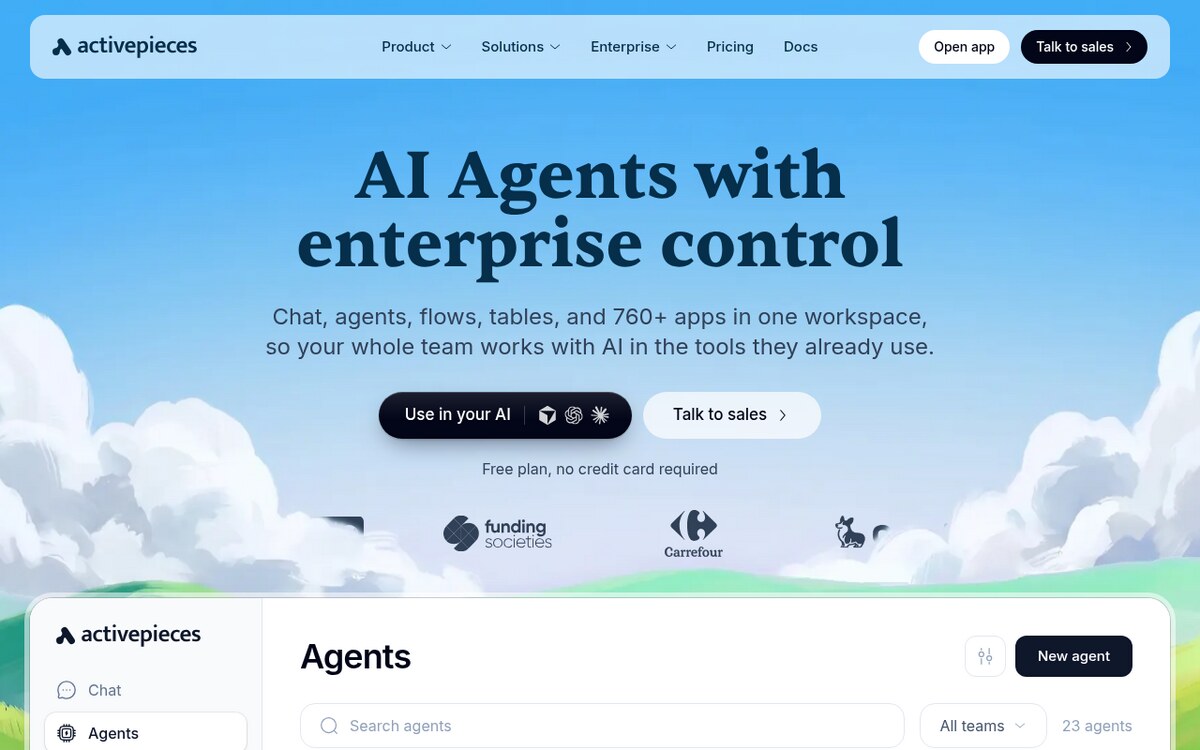
5. Activepieces – The Ultra-Lightweight Open-Source Zapier Alternative
Activepieces is an open-source, developer-friendly automation engine designed for creators and businesses that demand total data privacy and zero vendor lock-in.
- Best For: Privacy-focused agencies, self-hosted internal tooling, and lightweight business automation.
- Core Strengths:
- MIT-Licensed Open Core: Run on your own cloud servers or Docker instances with zero license fees or hidden usage taxes.
- Clean Typescript Piece Architecture: Easily extend pre-built pieces with custom logic snippets using a modern code editor.
- Integrated AI Copilot: Ask the built-in AI assistant to build custom data transformations or generate TypeScript filters on the fly.
- Standout Feature: Complete air-gapped deployment capability ensures your proprietary customer data never touches external cloud automation servers.
- Pricing: Free community self-hosted version; Managed cloud plans start at $25/month.
6. Zapier Central – The Interactive Autonomous Bot Workspace
Zapier Central evolves traditional linear zaps into proactive AI assistants that live across your cloud software stack. You train custom bots in plain English to monitor data streams and take independent actions across thousands of applications.
- Best For: Solo entrepreneurs, marketing managers, and operations leads seeking conversational bot automation.
- Core Strengths:
- Conversational Workflow Training: Teach your bot custom behaviors by showing it examples or typing instructions in everyday language.
- Access to 6,000+ Cloud Apps: Tap directly into the vast Zapier application catalog without setting up manual webhook endpoints.
- Live Data Monitoring: Instruct bots to continuously observe spreadsheets, inbox threads, or CRM pipelines and act when specific conditions occur.
- Standout Feature: Instant Live Data Testing lets you chat with your bot inside a sandbox to audit its decision-making before deploying live.
- Pricing: Included in Zapier ecosystem tiers; Free testing tiers available.
7. Flowise AI – Visual LangChain & RAG Pipeline Orchestrator
Flowise AI turns complex open-source AI frameworks into an accessible visual canvas. It allows creators to build custom knowledge base chatbots, document analyzers, and autonomous agent loops without writing a line of Python.
- Best For: Custom customer support bots, RAG document search engines, and multi-agent conversational pipelines.
- Core Strengths:
- Drag-and-Drop LangChain Components: Connect prompt templates, text splitters, vector embeddings, and LLMs like building blocks.
- API & Embeddable Chat Widgets: Deploy your completed AI workflow as a standalone REST API or embed a floating chat bubble on your website in one click.
- Local Model Support: Connect directly to local Ollama or LM Studio instances for completely free, private document analysis.
- Standout Feature: Visual Document Loaders effortlessly parse PDFs, Notion pages, and website URLs into searchable vector databases.
- Pricing: 100% Free open-source (Docker/Node.js); Cloud hosted options start at $30/month.
4. Step-by-Step Pipeline: Building Your First AI Workflow in 15 Minutes
Follow this practical implementation guide to create an automated inbound lead research and notification pipeline using visual no-code tools:┌────────────────────────────────────────────────────────────────────────┐
│ 5-STEP INBOUND LEAD QUALIFICATION PIPELINE │
├────────────────────────────────────────────────────────────────────────┤
│ Step 1: Set Webhook Trigger on Form Submission (Typeform / Tally) │
│ │ │
│ Step 2: Query Company Website via Headless Browser Node │
│ │ │
│ Step 3: Run LLM Reasoning Node to Score Lead Fit (1 to 10) │
│ │ │
│ Step 4: Add Human Approval Gate in Slack for High-Value Leads │
│ │ │
│ Step 5: Update CRM & Dispatch Custom Personalized Email Draft │
└────────────────────────────────────────────────────────────────────────┘
- Configure Inbound Trigger: Create a webhook node in your automation builder (such as n8n or Make) and connect it to your website contact form.
- Enrich Lead Domain: Pass the prospect’s company URL to a web scraper node to fetch their homepage text and value proposition.
- Analyze with AI Reasoning Node: Feed the scraped text into an LLM node with this evaluation prompt:
- Analyze the following company description: [Website_Text]
- Identify primary industry and business model (B2B/B2C).
- Score lead fit from 1-10 based on our ideal customer profile: SaaS & Digital Agencies.
- Output clean JSON: {“score”: number, “summary”: “string”, “recommended_angle”: “string”}
- Route by Quality Score: Add a conditional router node. If the score is 8 or higher, trigger a high-priority Slack notification with a 1-click approval button.
- Execute Action: Upon approval, automatically create a new lead entry in your CRM (HubSpot or Notion) and draft a personalized outreach email in your Gmail account.
5. Recommended Guides & Creator Resources
Expand your automation skills with these practical guides on ISMARTANJI CREATIONS:
- 7 Breakthrough Autonomous AI Agent Frameworks in 2026 – Explore multi-agent systems and programmatic orchestration.
- 7 Breakthrough AI Web Scraping Tools in 2026 – Master clean markdown extraction and anti-bot bypass strategies.
- 7 Breakthrough AI Search Engines for Creators in 2026 – Speed up research with live web citation engines.
- Complete WordPress Site Architecture & Monetization Guide – Essential strategies to scale web traffic and pass AdSense compliance.
6. Frequently Asked Questions
Do I need programming experience to build no-code AI workflows?
No. Modern platforms like n8n, Make, and Gumloop use intuitive visual interfaces. You configure triggers, drag processing nodes onto a canvas, and connect them with visual lines. You only need clear logical thinking and basic prompt engineering skills.
How much do no-code AI automation platforms cost?
Most platforms offer generous free tiers. Open-source platforms like n8n and Activepieces are free to self-host on a $5/month VPS. Commercial cloud platforms like Make and Relay start between $9 and $20 per month, scaling with execution volume.
Can no-code AI tools connect to local offline LLMs?
Yes. Open-source workflow engines like n8n and Flowise feature native connectors for local runtimes like Ollama and LM Studio. This setup allows you to process confidential company data entirely on your local machine with zero API subscription costs.
How do I prevent AI hallucinations in automated client workflows?
Integrate human-in-the-loop approval gates (using tools like Relay.app or n8n Slack approval nodes). Critical steps—such as sending client emails or updating financial ledgers—will pause until a team member verifies the AI output.
7. Summary & Action Plan
No-code AI automation gives solo creators and small teams the execution capacity of an entire operations department. By replacing brittle legacy webhooks with intelligent, self-healing agent pipelines, you eliminate repetitive administrative chores and focus your energy on high-impact creative production.
Your 5-Step Action Checklist:
- Identify your most repetitive weekly task (lead research, content formatting, or email routing).
- Select a platform that matches your privacy needs (n8n for full control, Gumloop for web research, Make for complex app routing).
- Set up a basic 3-node workflow: Trigger -> LLM Reasoning -> Output.
- Add an approval checkpoint to verify output quality before automating live actions.
- Test the pipeline end-to-end with real sample data and monitor performance.
Which repetitive workflow are you planning to automate first? Share your project ideas in the comments below, and visit ISMARTANJI CREATIONS for more daily actionable technology tutorials!
Sources & Further Reading
– Microsoft Power Automate documentation
Written & Verified by Sampath Anji
Sampath Anji is a technology researcher, systems developer, and digital creator based in Telangana, India. He specializes in on-device AI architectures, autonomous agent workflows, high-throughput inference engines, and digital media production. Every tutorial on ISMARTANJI CREATIONS is grounded in code reproducibility, verified documentation, and transparent test environments. Read our full testing methodology on our About Us page, or submit feedback and code updates via our Contact Desk.