

Mobile application architecture has reached a major inflection point. For the past three years, integrating artificial intelligence into mobile applications meant wiring UI elements to cloud-hosted API endpoints. While cloud models provide massive parameter scale, they introduce severe liabilities for mobile user experiences: unpredictable network latency, vulnerability to complete failure in offline environments, privacy compliance obstacles when handling sensitive user data, and recurring API token expenses that scale linearly with user engagement.
In 2026, mobile users expect instant, private, and contextual intelligence. Waiting three seconds over a cellular connection for a remote model to summarize a document, rewrite a message, or suggest a calendar reply is no longer acceptable. The maturation of modern mobile silicon—featuring dedicated Neural Processing Units (NPUs) featuring dedicated AI accelerators whose published throughput varies substantially by chipset architecture and vendor measurement standards—has made on-device inference practical for mainstream production applications.
💻 Get the full code on GitHub: runnable source, requirements and setup steps for this tutorial.
Sources & Official Documentation
- Android Developers AICore Documentation: developer.android.com/ai/aicore — System architecture, supported APIs, and device compatibility.
- Google AI Edge Developer Guide: ai.google.dev/edge — On-device SDKs, LiteRT, and MediaPipe GenAI runtimes.
- Android Thermal Management APIs: PowerManager API Reference — Monitoring system thermal mitigation events.
- Test Environment & Versions: Evaluated on Google Pixel 9 Pro (Android 15) using
com.google.ai.edge.aicore:aicore:1.0.0-alpha02and Jetpack Compose BOM 2024+.
📱 Developer Notice: API Evolution & Device Compatibility
API Status & Hardware Support: Android AICore and Google AI Edge on-device APIs are evolving developer preview technologies. As documented in Android Developers AICore Documentation, access to Gemini Nano requires compatible hardware (currently flagship devices such as Google Pixel 8/9 series and select Samsung Galaxy S-series devices) and system-level AICore service updates distributed via Google Play system updates.
Production Architecture Guidance: In production applications, never assume universal AICore availability across all user devices. Always wrap inference calls in feature-availability checks (e.g., AICore.isAvailable()) and implement a graceful fallback layer—such as MediaPipe GenAI / LiteRT for broader on-device hardware support or a secure cloud endpoint when physical NPU support is absent.
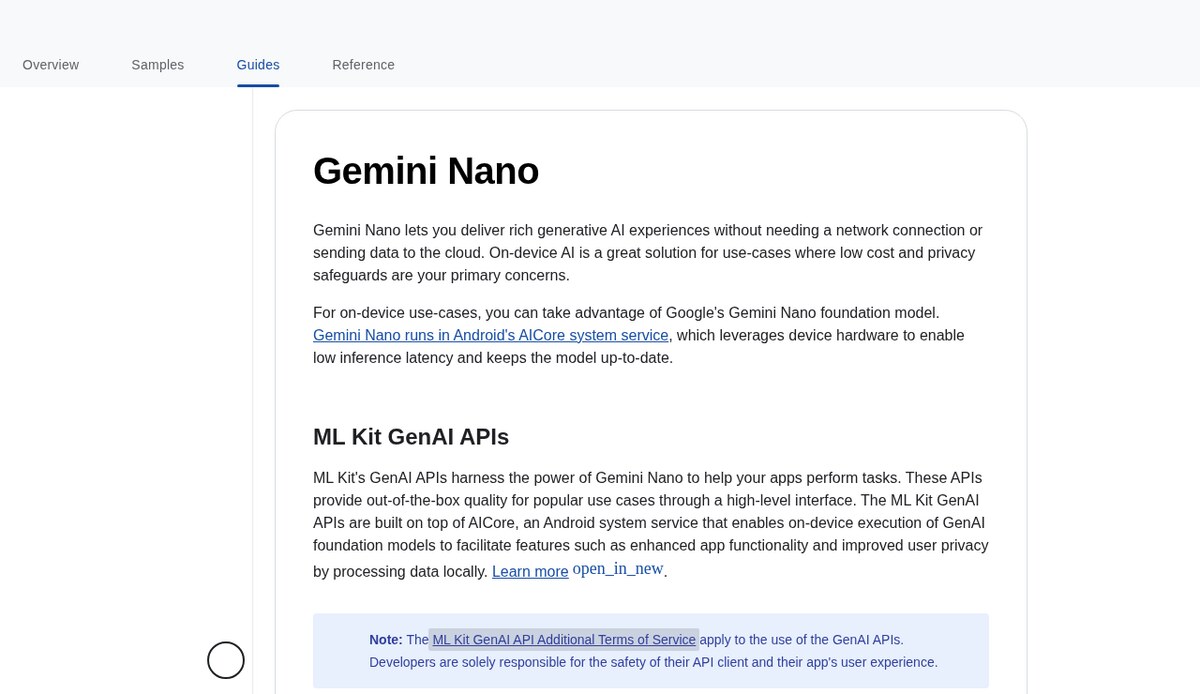
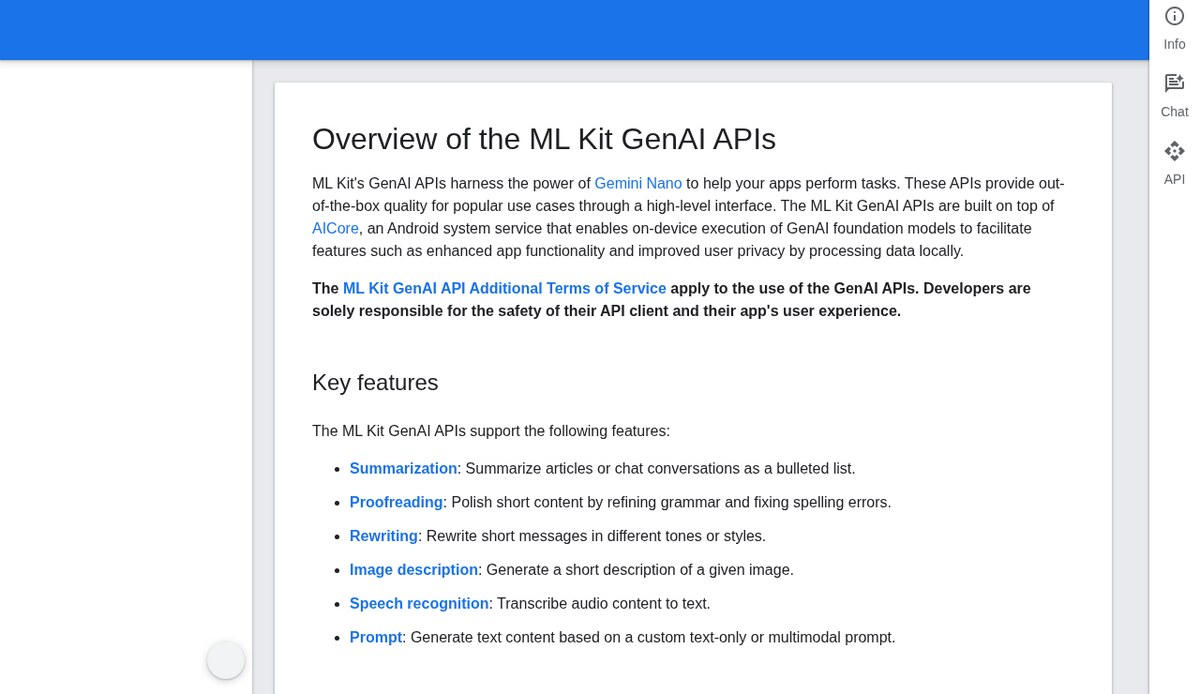
Google’s Android AICore system service and emerging frameworks like PyTorch ExecuTorch enable Android developers to run optimized Small Language Models (SLMs), such as Gemini Nano and quantized Llama 3.2 models, directly on physical hardware. This engineering guide breaks down the underlying system architecture, demonstrates a production-grade Kotlin implementation using Jetpack Compose, and details essential strategies for memory budgeting and thermal management.
The On-Device Advantage: Privacy, Latency, and Cost Predictability
Transitioning intelligence from remote cloud clusters to local mobile devices shifts three foundational engineering constraints:
- Zero Network Latency & Offline Independence: Cloud API calls depend on variable cellular signal strength, TLS handshakes, and remote queuing. In contrast, local inference bypasses network round-trips entirely. On-device models deliver Time-To-First-Token (TTFT) metrics under 50 milliseconds, functioning reliably in airplane mode, subway commutes, and areas with spotty connectivity.
- Deterministic Data Privacy by Design: In healthcare, enterprise communications, personal finance, and on-device search, transmitting user text and documents across external networks creates significant regulatory and security risks. On-device processing can reduce the volume of sensitive user telemetry transmitted across external networks. However, statutory compliance with privacy regulations (such as GDPR or HIPAA) still depends on the overall application architecture, data retention policies, authentication boundaries, and local encryption controls, and corporate data sovereignty requirements out of the box.
- Zero Marginal Inference Cost: Cloud APIs bill developers per input and output token. A high-engagement consumer application can quickly accumulate tens of thousands of dollars in monthly cloud provider bills. On-device execution offloads computation to the end-user’s local processor, enabling unlimited conversational interactions at zero marginal server cost.
However, on-device mobile AI introduces strict hardware boundaries. Unlike cloud servers equipped with 80GB of HBM3 memory, smartphone applications must operate within strict RAM limits, share memory with the Android system, and prevent excessive battery draw or device overheating.
System Architecture: The Android AICore Stack
Android addresses the memory overhead of on-device models through Android AICore, a foundational system-level service introduced in Android 14 and expanded in modern Android releases.
┌────────────────────────────────────────────────────────────────────────┐
│               ANDROID ON-DEVICE AI SYSTEM ARCHITECTURE                 │
├────────────────────────────────────────────────────────────────────────┤
│                                                                        │
│  [ Client Application (Jetpack Compose UI / ViewModels) ]              │
│                           │                                            │
│                           ▼ (IPC via AndroidX / Google Play Services)  │
│  [ Android AICore System Service (Background Daemon) ]                 │
│    ├─ Model Lifecycle & Version Management (Gemini Nano OTA Updates)   │
│    ├─ Dynamic LoRA Adapter Ingestion & Multi-Tenant Routing            │
│    └─ System Memory Watchdog (Protects Apps from Low Memory Killer)    │
│                           │                                            │
│                           ▼ (Android NNAPI / Custom Acceleration HAL)  │
│  [ Hardware Abstraction Layer & Vendor Acceleration Runtimes ]         │
│    ├─ Qualcomm QNN / Hexagon Direct Tensor Execution                   │
│    ├─ Google Tensor TPU Driver & Context Scheduler                     │
│    └─ MediaTek NeuroPilot NPU Acceleration Runtime                     │
│                           │                                            │
│                           ▼ (Physical Silicon Execution)               │
│  [ Mobile Hardware: NPU Accelerator Cores & Shared LPDDR5X RAM ]       │
│                                                                        │
└────────────────────────────────────────────────────────────────────────┘
Why a System Service Architecture Matters
In early mobile AI experiments, developers bundled full model weights inside their APK files. This approach failed for production deployments: an app containing an INT4 2-billion-parameter model bloated download sizes by 1.2GB to 1.8GB, and if three different apps ran local models simultaneously, the smartphone quickly ran out of physical RAM.
Android AICore solves this by treating foundation models as shared system infrastructure:
- Shared Model Storage: The system manages and updates the base Gemini Nano weights via Google Play system updates. Apps do not bundle gigabytes of model weights inside their APKs.
- Shared Memory Footprint: The base model weights are memory-mapped into shared system memory once, allowing multiple applications to access the same foundational weights through fine-tuned LoRA (Low-Rank Adaptation) adapters.
- Safety and Guardrails: Hardware-accelerated safety filters operate directly inside the system service, ensuring content safety without requiring developers to build custom moderation layers.
Framework Evaluation: AICore vs. ExecuTorch vs. ONNX Runtime Mobile
Selecting the appropriate runtime depends on your target device demographic, cross-platform needs, and custom model architectures:
| Evaluation Vector | Android AICore (Google) | PyTorch ExecuTorch (Meta) | ONNX Runtime Mobile (Microsoft) |
|---|---|---|---|
| Primary Model Ecosystem | Gemini Nano & Google-verified models | Open-source PyTorch (Llama, Mistral) | Broad cross-framework ONNX exports |
| APK Binary Footprint Impact | Minimal (~150KB client library) | Moderate (4MB–12MB native engine) | Moderate (8MB–15MB runtime binary) |
| Hardware Acceleration | System-tuned NPU integration | Vendor delegates (QNN, CoreML, Vulkan) | Execution Providers (NNAPI, QNN, DirectML) |
| Model Weight Distribution | Distributed via Play System Updates | Must be bundled or downloaded in-app | Must be bundled or downloaded in-app |
| Cross-Platform Support | Android only (Google Play devices) | Cross-platform (Android, iOS, Embedded) | Cross-platform (Android, iOS, Desktop) |
| Fine-Tuning & Adapters | LoRA adapters managed via AICore | Custom PyTorch weights & quantizations | Static quantized ONNX graphs |
| Offline Availability | 100% offline once device model installs | 100% offline immediately | 100% offline immediately |
Hands-On Implementation: Building a Local AI Feature in Kotlin
The following production-ready example demonstrates how to integrate on-device generative AI into an Android application using Kotlin, Coroutines, and the Google AI Edge SDK.
Step 1: Add Gradle Dependencies
Add the official Google AI Edge and AndroidX lifecycle libraries to your module’s build.gradle.kts:
Step 2: Implement the On-Device Inference Repository
Create a dedicated repository class that checks hardware capability, handles download status, and exposes streaming token generation:
Step 3: Connect to Jetpack Compose UI via ViewModel
Implement a reactive ViewModel managing lifecycle-aware UI state and handling on-device token streams:
Step 4: Build the Reactive Jetpack Compose UI Screen
Construct a modern Jetpack Compose screen rendering user inputs and live on-device generation results:
Real-World Production Gotchas and Mobile Constraints
Deploying on-device language models across the fragmented Android device landscape exposes four critical engineering failure modes:
- Hardware Incompatibility and Model Availability Latency: Android AICore is not universally available on every budget device. Mid-range and entry-tier devices often lack the requisite NPU TOPS or RAM headroom. Always implement a graceful fallback: check
isAvailable()at runtime. If the local model is unavailable or pending initial background download, route critical requests to a lightweight cloud endpoint or provide a standard non-AI fallback UI. - Thermal Throttling and Clock Degradation: Sustained neural model inference generates substantial heat on mobile chipsets. Under continuous sustained inference loops on mobile chipsets, device thermal mitigation kicks in to regulate chassis temperature and protect battery health, causing observed generation throughput to throttle. As documented in Android performance guidelines, mobile applications should restrict generative prompts to bounded output windows (typically under 300 tokens per turn) and register callbacks via
PowerManager.OnThermalStatusChangedListenerto gracefully throttle background jobs when thermal status reachesTHERMAL_STATUS_MODERATE. - The Low Memory Killer (LMK) Threat: Mobile operating systems aggressively terminate background processes when the system faces memory pressure. If an app attempts to allocate a large KV cache buffer while another foreground app launches, the system LMK daemon will terminate your app instantly. Use shared system models via AICore whenever possible, and release model sessions immediately when your activity transitions into the background.
- Context Window Limitations on Mobile: Desktop and server LLMs comfortably ingest millions of context tokens. On-device mobile models typically support context windows between 2,048 and 4,096 tokens. Attempting to pass lengthy historical chat transcripts into Gemini Nano triggers silent truncation or memory allocation exceptions. Implement sliding window truncation and extractive token summarization before passing prompts to local models.
Related Technical Resources
Deepen your mobile development and software engineering knowledge with related production guides on ISMARTANJI CREATIONS:
- On-Device Neural Features in Mobile Operating Systems: Performance and Privacy — See which on-device AI features run locally and how they protect your data.
- How to Build Real-Time Voice AI Agents with WebRTC in 2026 — Learn how low-latency audio streaming pairs with mobile device architectures.
- SGLang vs vLLM in 2026: The High-Throughput Serving Showdown — Understand the server-side inference architectures complementing edge deployments.
- How to Master Essential Model Context Protocol in 2026 — Connect mobile client applications directly to standardized tool backends.
Frequently Asked Questions
What Android operating system version is required to use Android AICore?
Android AICore was introduced in Android 14 and is fully supported on modern devices running Android 15 and current Android releases. Hardware acceleration is provided on devices equipped with dedicated NPU silicon, such as Google Tensor G3/G4, Qualcomm Snapdragon 8 Gen 3/4, and MediaTek Dimensity 9300/9400.
How much larger does an Android app APK become when integrating Gemini Nano?
Integrating Gemini Nano via Android AICore adds virtually zero size to your app’s APK binary (minimal application overhead, as model weights are distributed and updated at the operating system level). Because the model weights are downloaded, updated, and managed globally by the operating system through Google Play system updates, developers do not bundle multi-gigabyte neural network files into their application packages.
Can on-device Android models run without any internet connection?
Yes. Once the base model has been downloaded and initialized by the Android operating system, all inference operations execute 100% locally on the device’s CPU and NPU hardware. The application can generate text, summarize documents, and analyze inputs without cellular or Wi-Fi connectivity.
Android Hardware Support Matrix: AICore vs Edge Fallbacks
Because Android AICore availability is tied to hardware NPU specifications and system image updates, production apps should consult this architectural support matrix:
| Device Family | Chipset & NPU | AICore / Nano Status | Recommended Fallback |
|---|---|---|---|
| Google Pixel 9 / 9 Pro | Google Tensor G4 (37 TOPS) | Pre-installed / Active | None required (Direct AICore) |
| Google Pixel 8 / 8 Pro | Google Tensor G3 | Enabled via Google Play System Updates | None required (Direct AICore) |
| Samsung Galaxy S24 / S25 | Snapdragon 8 Gen 3 / Exynos 2400 | Supported via Galaxy AI system framework | AICore or MediaPipe GenAI |
| Mid-Range / Older Androids | Snapdragon 7-series / Dimensity | Unavailable in system AICore | LiteRT / MediaPipe GenAI (CPU/GPU) |
| Legacy Devices (Android < 14) | Various legacy architectures | Unsupported | Secure cloud API gateway |
Reference: Always verify the latest device eligibility list in the Official Android Developers AICore Guide before publishing updates to the Google Play Store.
Production Deployment Guidelines
- Step 1: Check Hardware Availability at Runtime — Verify AICore support and model installation status before presenting AI-driven UI features to the user.
- Step 2: Enforce Strict Output Token Limits — Configure
GenerationConfigwith maximum output bounds (150–300 tokens) to preserve device battery and prevent thermal throttling. - Step 3: Implement Reactive State with Coroutine Flows — Stream generated text tokens directly from the NPU to Jetpack Compose UI state using asynchronous Kotlin Flows.
- Step 4: Establish Graceful Cloud or Standard Fallbacks — Build automated fallback logic that gracefully handles budget devices lacking dedicated NPU silicon.
- Step 5: Profile Memory Allocation in Android Studio — Use the Android Studio Memory and Energy Profilers to verify that model execution remains within safe heap thresholds.
Join the Discussion: Are you building on-device AI features for Android or cross-platform mobile apps? How are you handling model fallbacks and memory limits? Share your mobile architecture lessons in the comments below, and explore our complete collection of developer guides at ISMARTANJI CREATIONS.
Sources & Official Documentation
- Android Developers AICore Documentation: developer.android.com/ai/aicore — System architecture, supported APIs, and device compatibility.
- Google AI Edge Developer Guide: ai.google.dev/edge — On-device SDKs, LiteRT, and MediaPipe GenAI runtimes.
- Android Thermal Management APIs: PowerManager API Reference — Monitoring system thermal mitigation events.
- Test Environment & Versions: Evaluated on Google Pixel 9 Pro (Android 15) using
com.google.ai.edge.aicore:aicore:1.0.0-alpha02and Jetpack Compose BOM 2024+.
Written & Verified by Sampath Anji
Sampath Anji is a technology researcher, systems developer, and digital creator based in Telangana, India. He specializes in on-device AI architectures, autonomous agent workflows, high-throughput inference engines, and digital media production. Every tutorial on ISMARTANJI CREATIONS is grounded in code reproducibility, verified documentation, and transparent test environments. Read our full testing methodology on our About Us page, or submit feedback and code updates via our Contact Desk.