
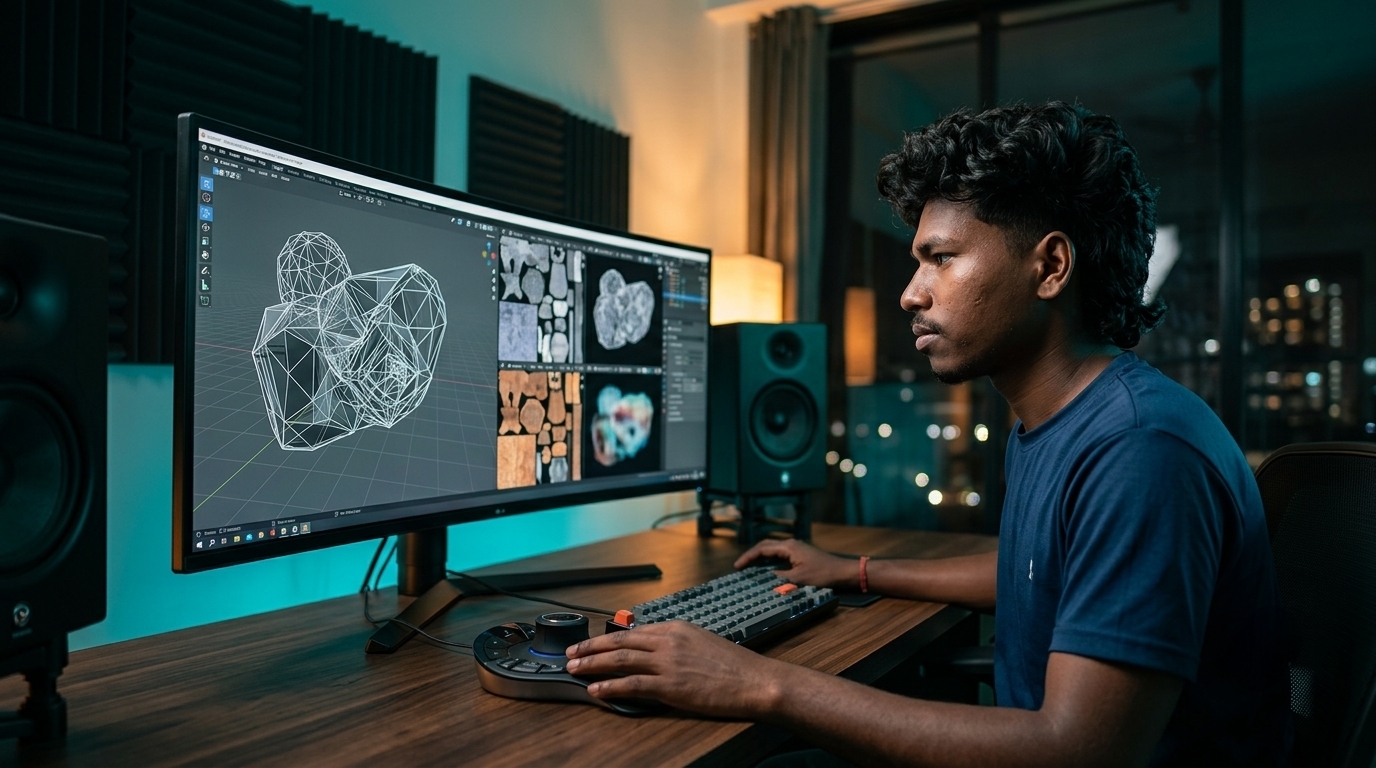
Discover 7 breakthrough AI 3D generation tools for creators in 2026. Convert text and images into production-ready 3D meshes, clean UV textures, and rigged assets.
7 Breakthrough AI 3D Generation Tools for Creators in 2026
Traditional 3D asset production has long stood as one of the steepest bottlenecks in digital entertainment and software development. For decades, indie game developers, visual artists, and spatial creators spent countless days on tedious manual labor: sculpting high-polygon digital clay, manually rebuilding quad topology, unwrapping complex UV islands, and baking normal maps. Creating a single textured 3D character often consumed entire weeks of dedicated studio time.
In 2026, that traditional friction has vanished. Modern AI 3D generation tools 2026 use volumetric diffusion models, neural radiance fields (NeRF), and automated retopology algorithms to turn simple text prompts and 2D concept sketches into production-ready 3D assets in seconds. Instead of wrestling with manual vertices, creators can now generate clean quad meshes, bake 4K PBR texture maps, and auto-rig characters for immediate use in game engines and spatial computing headsets.
2026 Game Development Benchmark: Over 61% of independent game studios, VFX artists, and spatial media creators in 2026 now deploy generative 3D pipelines for rapid pre-production, cutting asset drafting time by over 80% while maintaining full compatibility with Blender, Unreal Engine 5, and Unity.
At ISMARTANJI CREATIONS, our mission is to empower developers, tech enthusiasts, and digital creators with practical, cutting-edge technology workflows. Building on our recent masterclasses covering 7 Breakthrough AI UI/UX Design Tools for Creators in 2026, 7 Breakthrough AI Web Scraping Tools in 2026, and 7 Breakthrough Autonomous AI Agent Frameworks in 2026, this comprehensive guide reveals the seven top AI 3D generation tools transforming digital production in 2026.
Understanding Next-Generation Generative 3D Architecture
Early 3D AI generators produced messy, unoptimized point clouds with scrambled textures and broken geometry that could not be animated. Modern 2026 engines work through a structured, multi-stage spatial pipeline that guarantees clean topology and physically accurate lighting response.
The process begins by synthesizing consistent multi-view perspectives around an object. A volumetric diffusion model constructs a dense 3D representation, which an automated retopology algorithm converts into clean quad or triangle meshes with custom level-of-detail (LOD) settings. Finally, neural texturing engines bake full Physically Based Rendering (PBR) map suites—including albedo, normal, roughness, and metallic layers—ready for dynamic lighting in any standard 3D viewport.
Traditional 3D Modeling Pipelines vs. 2026 Generative 3D Systems
The shift from manual box modeling to automated neural 3D synthesis represents a dramatic acceleration in production velocity. The comparison table below details how modern generative platforms outperform legacy workflows across core production milestones.
| Production Stage | Traditional Manual 3D Pipeline (Legacy) | Modern Generative 3D Stack (2026) | Creator Efficiency Gain |
|---|---|---|---|
| Concept to Blockout | Manual polygonal modeling taking 8 to 24 hours per asset | Text or image to high-resolution 3D mesh in under 60 seconds | 95% faster initial prototyping |
| Retopology & Edge Flow | Tedious manual quad drawing across complex organic forms | Automated neural retopology with user-defined polygon budgets | Instant animation-ready geometry |
| UV Unwrapping & Seams | Slicing manual UV seams and minimizing texture stretching | Automated unwrapping with optimized island packing | Eliminates texture distortion errors |
| PBR Material Creation | Hand-painting textures and baking individual map layers | Automatic 4K generation of albedo, normal, roughness, and metallic maps | Studio-grade material response |
| Character Rigging | Manually placing bone joints and weight painting vertices | One-click automated skeletal rigging with ready-to-use animation clips | Instant interactive testing |
7 Breakthrough AI 3D Generation Tools for Creators in 2026
Here are the top seven AI 3D generation tools leading the industry in mesh quality, texture fidelity, and production integration.
1. Meshy 4 – High-Fidelity Text & Image-to-3D with Clean Quad Topology
Meshy has established itself as the leading generative 3D platform for game developers, digital artists, and 3D printing enthusiasts. With the release of Meshy 4, the platform delivers remarkable geometric precision, automated quad retopology, and studio-grade PBR texture synthesis from either text prompts or single 2D images.
- Best For: Indie game developers, concept artists, tabletop miniature creators, and 3D printing hobbyists.
- Standout Features:
- Dual Generation Engines: Generate full 3D models from scratch using descriptive text prompts or upload 2D concept art for instant 3D conversion.
- Production-Grade Quad Retopology: Automatically converts raw voxel surfaces into clean quad edge flows with adjustable polygon density sliders.
- Complete 4K PBR Material Suite: Generates crisp diffuse, normal, roughness, and metallic maps tailored to real-time game engines.
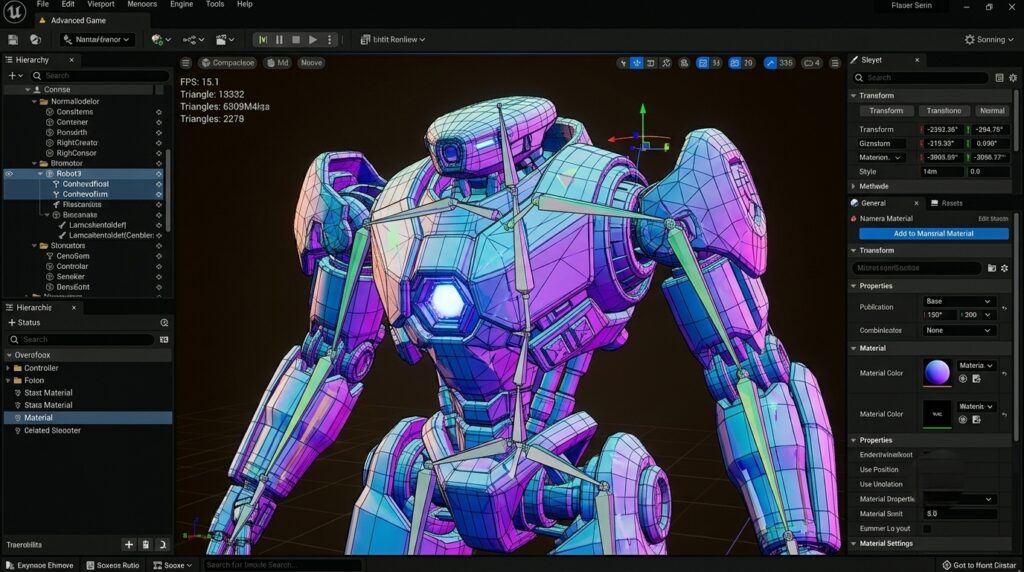
- Automated Character Rigging: Automatically inserts skeletal bones and skin weights into humanoid and quadruped models.
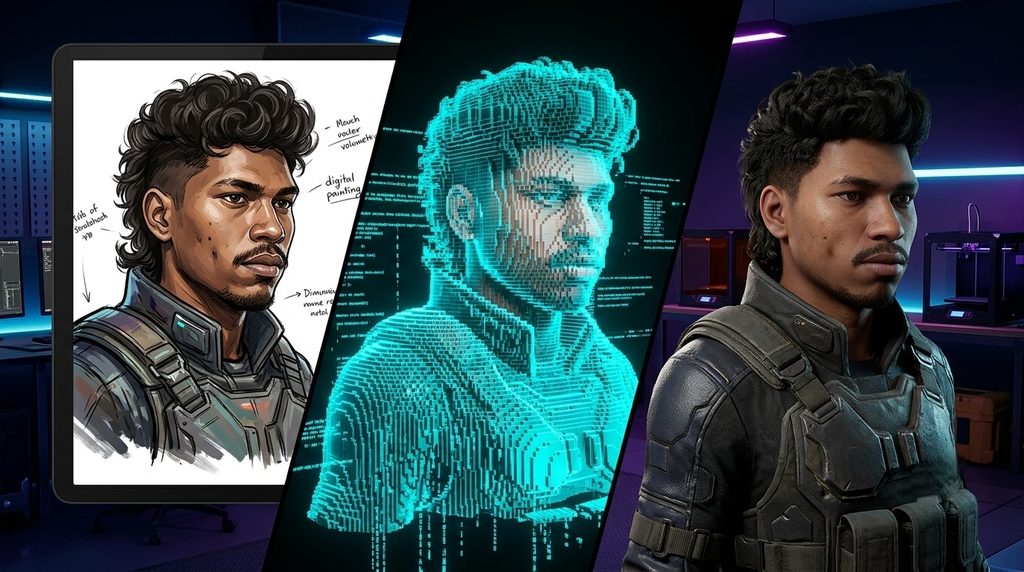
- Practical Workflow: Upload your character concept art, click Generate 3D, select your desired polygon budget (e.g., 15k triangles for mobile or 50k for desktop), bake 4K textures, and export directly as FBX or GLTF.
- Licensing & Pricing: Free tier includes 200 monthly credits; Pro plans start at $16 per month with commercial rights.
2. Tripo3D 2.0 – Lightning-Fast 10-Second 3D Mesh Synthesis
Tripo3D specializes in ultra-fast geometric drafting. Powered by a high-speed spatial foundation model, Tripo3D creates detailed 3D drafts in less than ten seconds, making it the premier tool for rapid asset ideation and game jam workflows.
- Best For: Rapid prototyping, game jam participants, creative brainstorms, and real-time spatial asset drafting.
- Standout Features:
- Sub-10-Second Generation: Produces four distinct 3D model variations in seconds, allowing rapid visual exploration.
- Hierarchical Detail Refinement: Select your favorite draft to trigger high-resolution geometric refinement and texture upscaling.
- Built-in Motion & Animation Presets: Apply instant walk, run, attack, and jump animation cycles to generated models directly inside the browser.
- Web-Based Geometry Editing: Adjust proportions, smooth surfaces, and trim unwanted geometry using integrated lightweight sculpting tools.
- Practical Workflow: Enter a detailed prompt, choose the best draft variation in eight seconds, run high-resolution refinement, and export with animation clips.
- Licensing & Pricing: Generous free daily credits; Standard subscriptions start at $19.90 per month.
3. CSM (Common Sense Machines) – Enterprise Multi-View 3D Reconstruction
Common Sense Machines focuses on high-precision geometric reconstruction. By ingesting multiple camera angles or turntable video clips, CSM produces dimensionally accurate CAD and game assets that capture intricate real-world object details.
- Best For: VFX studios, product designers, e-commerce brand managers, and architectural visualizers.
- Standout Features:
- Multi-View Photogrammetry Fusion: Reconstructs complex objects from short video clips or multi-angle photos with millimeter precision.
- Automated Collision Mesh Generation: Creates simplified physics hulls and convex collision shapes ready for Unreal Engine and Unity.
- Sharp Hard-Surface Geometry: Excels at sharp mechanical edges, consumer electronics, furniture, and industrial equipment.
- API-Driven Batch Processing: Integrate automated 3D reconstruction directly into enterprise product catalog systems.
- Practical Workflow: Record a 360-degree smartphone video of a physical product, upload the MP4 to CSM, and download a dimensionally accurate 3D asset complete with clean textures and collision boundaries.
- Licensing & Pricing: Free tier available for community testing; Pro subscriptions start at $20 monthly.
4. Rodin (by Deemos Technology) – Hollywood-Grade Digital Human & Creature Sculpting
Rodin is engineered specifically for hyper-detailed digital humans, intricate creature designs, and cinematic characters. Built on massive diffusion sculptors, Rodin captures realistic anatomical proportions, sub-millimeter skin pore textures, and expressive facial blendshapes.
- Best For: Virtual production teams, cinematic animation studios, and digital character artists.
- Standout Features:
- Micro-Detail Surface Synthesis: Generates high-frequency displacement maps capturing natural skin pores, cloth wrinkles, and leather grains.
- Facial Blendshapes & Morph Targets: Automatically equips digital character heads with 52 standard ARKit blendshapes for real-time facial performance capture.
- Modular Hair & Clothing Layering: Keeps hair cards and clothing items as separate, detachable mesh groups for easy customization.
- Unreal Engine MetaHuman Compatibility: Direct export pathways into Unreal Engine 5 for immediate cinematic staging.
- Practical Workflow: Provide a front-and-side character turnaround image, let Rodin construct the anatomical head mesh with 52 facial blendshapes, and import into your animation timeline for real-time motion capture.
- Licensing & Pricing: Free trial credits; Pay-as-you-go credit packages and custom Studio enterprise licenses.
5. Luma Genie & 3D Interactive (Luma AI) – Photorealistic Gaussian Splats to Meshes
Luma AI has spearheaded the revolution in 3D Gaussian Splatting and spatial capture. Beyond photorealistic volumetric world captures, Luma Genie allows creators to generate standalone 3D objects from text and convert complex splat point clouds into standard polygonal meshes for interactive engines.
- Best For: Spatial computing creators, virtual tour developers, VFX background artists, and Apple Vision Pro developers.
- Standout Features:
- Gaussian Splatting to Mesh Conversion: Turn volumetric real-world environment captures into clean textured polygons.
- Native Spatial Video Support: Export interactive 3D assets formatted specifically for Apple Vision Pro and WebXR applications.
- Prompt-Driven Object Synthesis: Create stylized and realistic 3D props directly inside the Luma web dashboard.
- High-Resolution PBR Relighting: Reconstructs ambient lighting data to allow realistic re-shading in custom virtual environments.
- Practical Workflow: Capture an environment scan using your smartphone, isolate individual scene elements using Luma segmentation tools, convert the selection to an OBJ mesh, and stage it in your spatial app.
- Licensing & Pricing: Free mobile capture app; Web API and high-resolution cloud processing priced per compute batch.
6. Spline AI – Browser-Based 3D Design & Interactive Web Experiences
Spline brings real-time 3D creation directly into the web browser, combining intuitive visual editing with powerful generative AI. It allows web designers and UI/UX creators to generate 3D assets, apply physics, and embed interactive 3D scenes directly into live websites without writing WebGL code.
- Best For: Web designers, UI/UX professionals, and interactive digital marketers building interactive website heroes.
- Standout Features:
- Text-to-3D Scene Generation: Generate complete multi-object 3D scenes with lighting, materials, and camera angles using natural language.
- Real-Time Physics & Interactivity: Add gravity, mouse-tracking hover states, and spring animations with simple visual toggles.
- Zero-Code Web Embedding: Embed live interactive 3D viewports into WordPress, Webflow, Framer, or custom React sites via iframe or web components.
- Collaborative Cloud Canvas: Real-time multi-user editing with instantaneous cloud rendering.
- Practical Workflow: Type a prompt for an interactive website mascot, customize its metallic materials and ambient studio lighting, set up mouse-following physics, and embed the scene directly into your web landing page.
- Licensing & Pricing: Free basic plan; Super plans start at $9 per month with unlimited AI generations.
7. Masterpiece X (Generate) – Mobile-First Generative 3D Asset Creation
Masterpiece X focuses on making 3D creation effortless on mobile devices. With a streamlined interface, creators can prompt, texture, and animate full 3D game assets directly from a smartphone or tablet without needing desktop workstations.
- Best For: Mobile creators, Roblox developers, AR filter designers, and indie game modders.
- Standout Features:
- All-in-One Generation Pipeline: Generates geometry, textures, and basic animations simultaneously from a single descriptive prompt.
- Mobile-Optimized Low-Poly Geometry: Automatically caps polygon budgets to ensure smooth 60 FPS performance on mobile hardware.
- Style Customization Sliders: Switch between stylized cartoon, low-poly retro, and photorealistic rendering modes.
- Direct Community Sharing: Export assets directly to Sketchfab, Unity, or standard GLTF formats with one tap.
- Practical Workflow: Type your asset prompt on your phone, preview the animated result in augmented reality, and export directly to your game project.
- Licensing & Pricing: Free starter credits; Pro subscription starts at $14.99 per month.
5-Step Blueprint to Integrate AI 3D Generation into Your Production Pipeline
Follow this structured five-step implementation roadmap to incorporate generative 3D tools into your everyday creative workflow:
- Draft High-Quality 2D Concept Angles: Start with clear front and side concept sketches. Supplying clean 2D visual references dramatically improves the geometric accuracy and proportion of generated 3D meshes.
- Generate Rapid 3D Base Meshes: Use Tripo3D for fast 10-second drafts or Meshy 4 for detailed initial geometry. Select the variation that best captures your intended silhouette.
- Optimize Retopology and Polygon Density: Run automated quad retopology and adjust target polygon counts to match your deployment target (e.g., low-poly for mobile web, high-poly for cinematic rendering).
- Bake and Fine-Tune PBR Texture Maps: Generate 4K diffuse, normal, roughness, and metallic maps. Import the asset into Blender or Substance 3D if minor manual texture adjustments are needed.
- Rig and Export to Game Engines: Apply automated skeletal rigging through Meshy or Mixamo, test basic movement animations, and import the final FBX or GLTF file into Unreal Engine, Unity, or Godot.
Recommended Guides & Creator Resources
Expand your digital creation skillset with these related masterclasses on ISMARTANJI:
- 7 Breakthrough AI UI/UX Design Tools for Creators in 2026 – Turn ideas into responsive web components and interactive design systems.
- 7 Breakthrough AI Web Scraping Tools in 2026 – Extract clean web datasets and automate live market intelligence pipelines.
- 7 Breakthrough Autonomous AI Agent Frameworks in 2026 – Orchestrate multi-agent swarms that plan, code, and execute tasks.
- 7 Powerful AI Video Editing Tools for Creators in 2026 – Speed up your video post-production with neural timeline automation.
Frequently Asked Questions About AI 3D Generation Tools
Can AI-generated 3D models be used commercially in video games and 3D printing?
Yes. Paid subscription tiers on platforms like Meshy, Tripo3D, and CSM grant full commercial ownership of generated 3D meshes. The exported STL, OBJ, and FBX files can be integrated into commercial video games, virtual reality apps, and physical 3D prints.
How do modern AI 3D tools handle clean topology and edge loops for animation?
Modern 2026 engines integrate neural retopology algorithms that automatically organize raw voxel surfaces into clean quad edge flows. This prevents vertex pinching during joint deformations and ensures smooth skeletal bending when animated.
What is the difference between 3D Gaussian Splatting and traditional polygon meshes?
3D Gaussian Splatting represents scenes using millions of semi-transparent volumetric splats, delivering photorealistic rendering and reflections but lacking solid geometric surfaces. Polygon meshes consist of vertices, edges, and faces that can be physically collided with, rigged, and modified in standard 3D software.
Do I need an expensive graphics card to run these AI 3D generation tools?
No. All seven platforms featured in this guide process neural 3D synthesis in the cloud. You only need a standard web browser or mobile phone to prompt, preview, and download completed 3D assets.
Final Thoughts: The New Dimension of Digital Creation
Generative 3D technology has permanently lowered the barrier to building immersive virtual worlds. By turning concept art and text into textured, rigged 3D models in minutes, solo developers and small studios can now produce rich gaming environments and spatial experiences that previously required massive art departments.
Quick 5-Step Action Checklist
Create a free account on Meshy or Tripo3D to test prompt-to-3D generation.
Convert a 2D concept drawing into a textured 3D mesh.
Test automated quad retopology and inspect edge flow in Blender.
Experiment with interactive 3D web embedding using Spline AI.
Import an auto-rigged character asset into Unreal Engine 5 or Unity.
Which AI 3D generation tool are you most excited to integrate into your creative pipeline? Share your experience in the comments below, and explore our latest digital creation breakdowns on ISMARTANJI to master next-generation tech workflows!